4 steps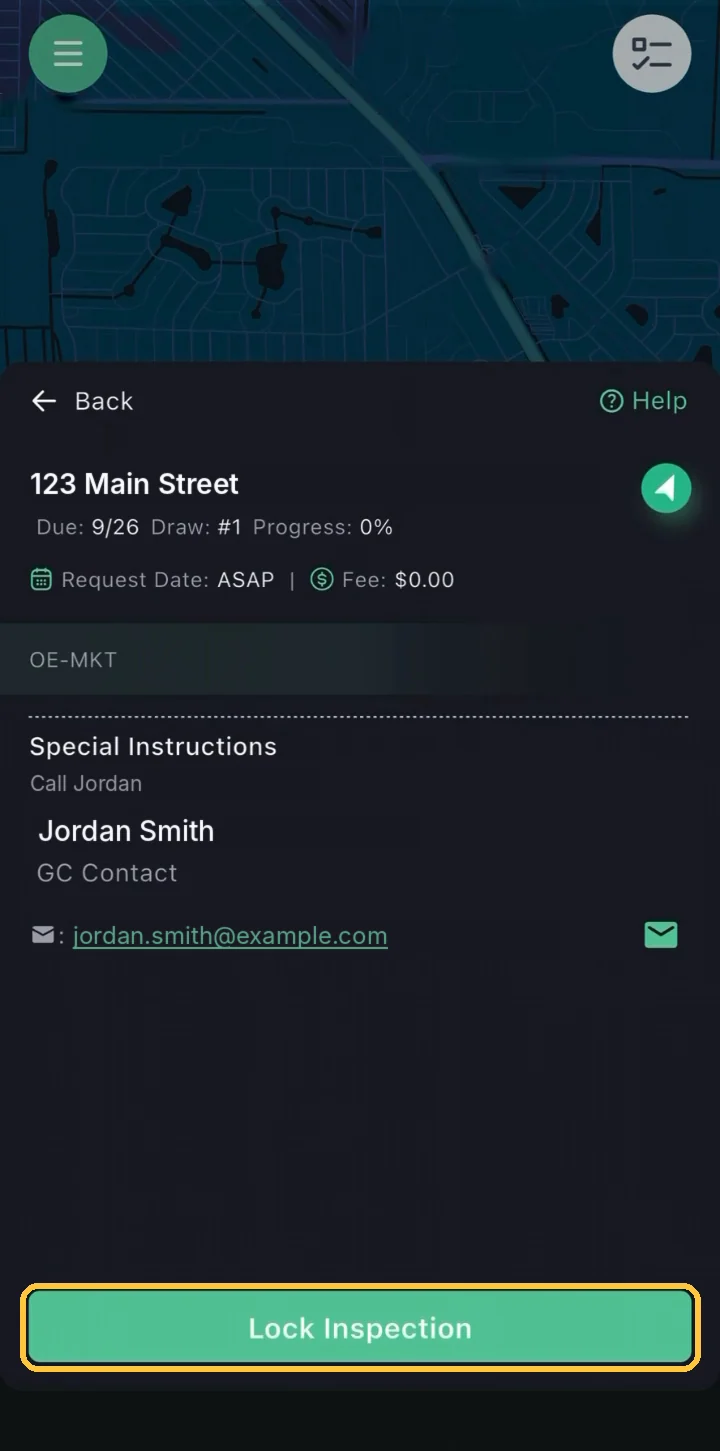
Guide 1
Locking an Inspection in the Marketplace
Open Marketplace Inspections from the map, review an open job and tap Lock Inspection to claim it before you coordinate site access.
Capture photos, notes and answers on site, then submit a complete report straight from your phone.
10 guides · 4 stages
Runs on: iPhone and Android. Get it on the App Store or Google Play.
Install the app on the phone you take to the site, then follow the guides below in order.




These guides follow a residential draw inspection; the same app captures field reports, assessments and other RAZE services.
Each guide is one step, in the order you work an inspection, from the first text to the borrower to the submitted report.
Contact the borrower for access and record how the visit was set up.
Guide 1
Open Marketplace Inspections from the map, review an open job and tap Lock Inspection to claim it before you coordinate site access.
Guide 2
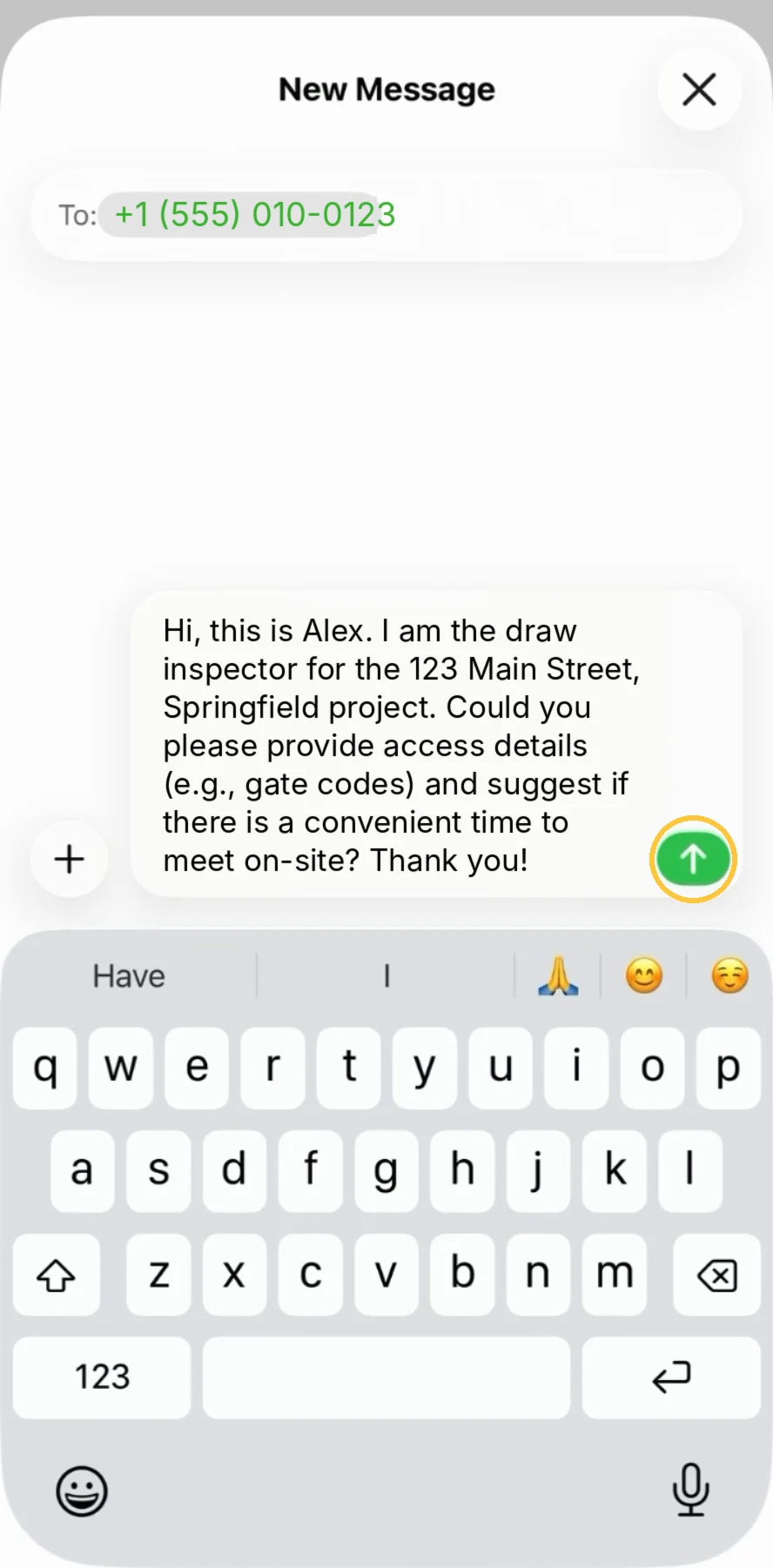
Coordination is mandatory: text the borrower from the inspection card for access details and a time to meet on-site.
Guide 3
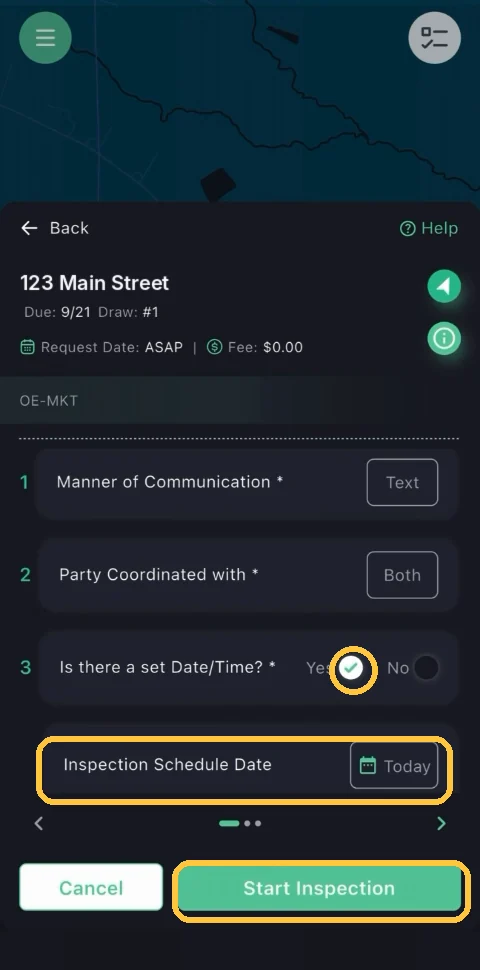
Coordination notes are required before you can begin: record how and with whom you coordinated, set the schedule, then start the inspection.
Take the photos and fill in the Draw Sheet as you walk the property.
Guide 4
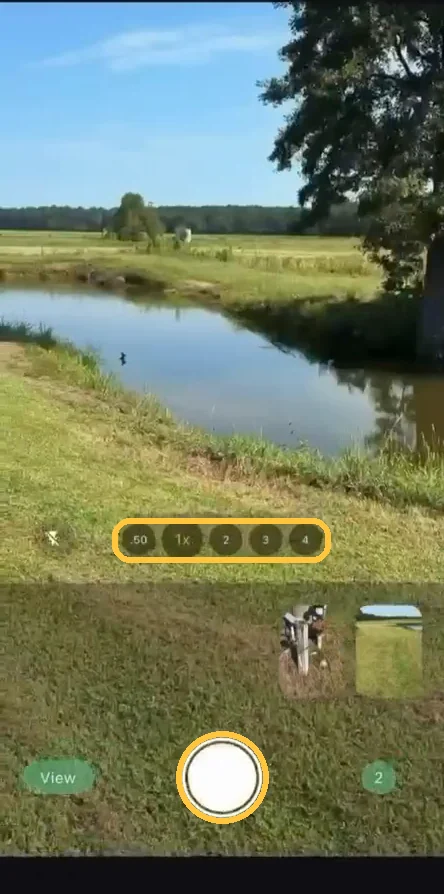
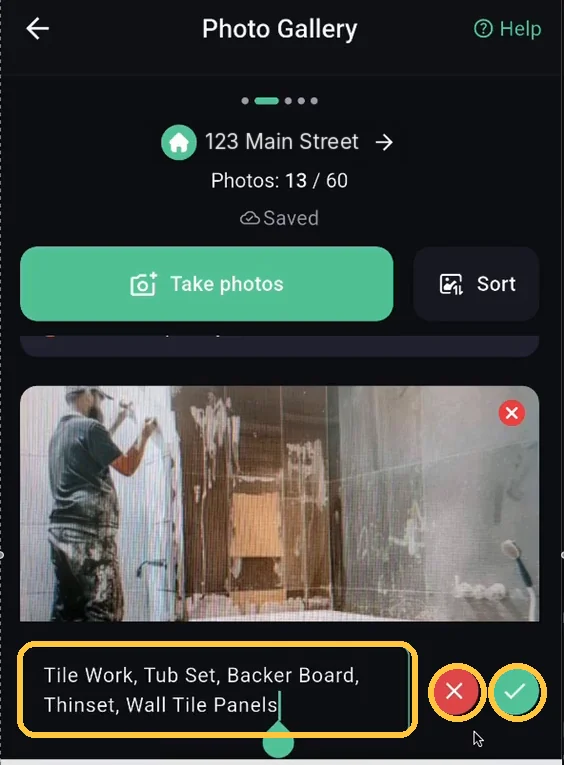
Take the site photos in the RAZE camera, add a comment to any photo that needs one, and sync them to the inspection.
Guide 5
Tap the sparkle button to draft a photo comment, review it, then save it: nothing saves until you tap send.
Guide 6
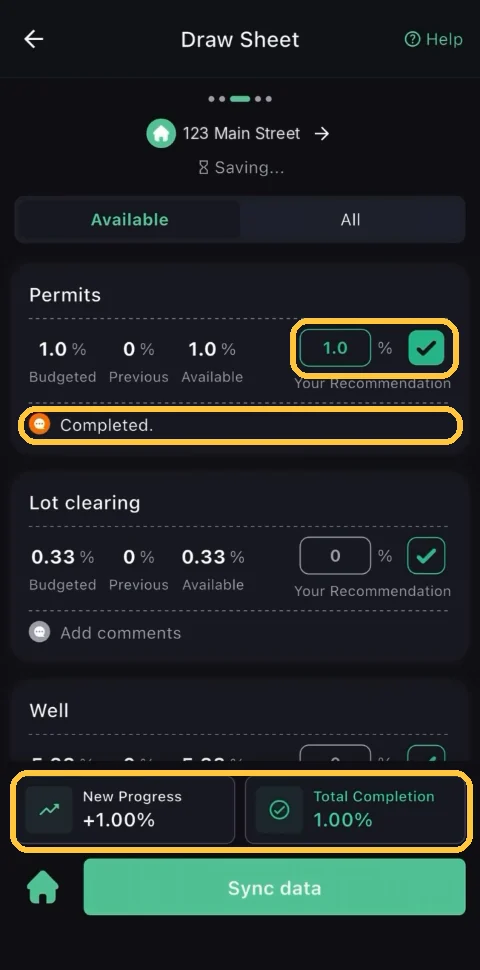
Record your recommendation for each line item, add notes where they help, and sync your work to the inspection.
Guide 7
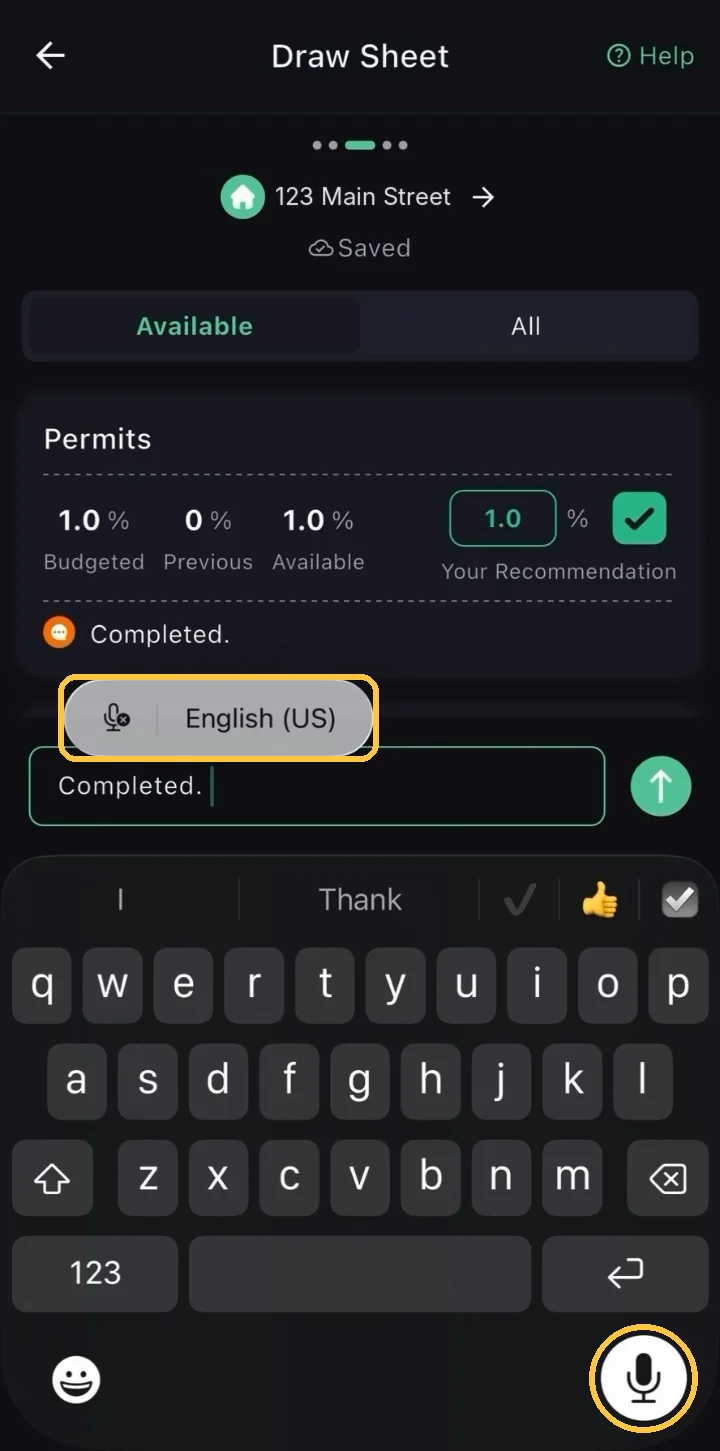
Dictate line-item notes on the Draw Sheet instead of typing them, then review and send, and they save to the inspection automatically.
Answer the site questions, then preview and send the report.
Guide 8
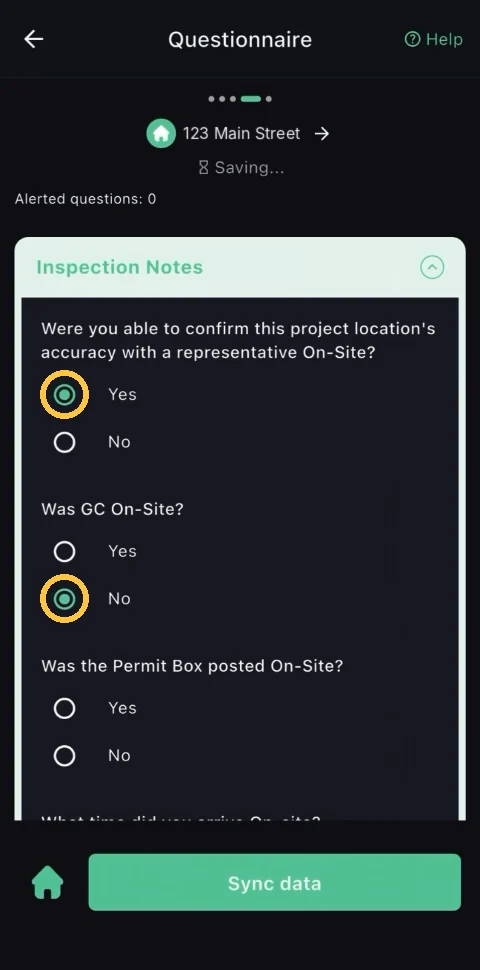
Answer the site questions about your visit, from who was on-site to the weather, then sync to finish the last section.
Guide 9
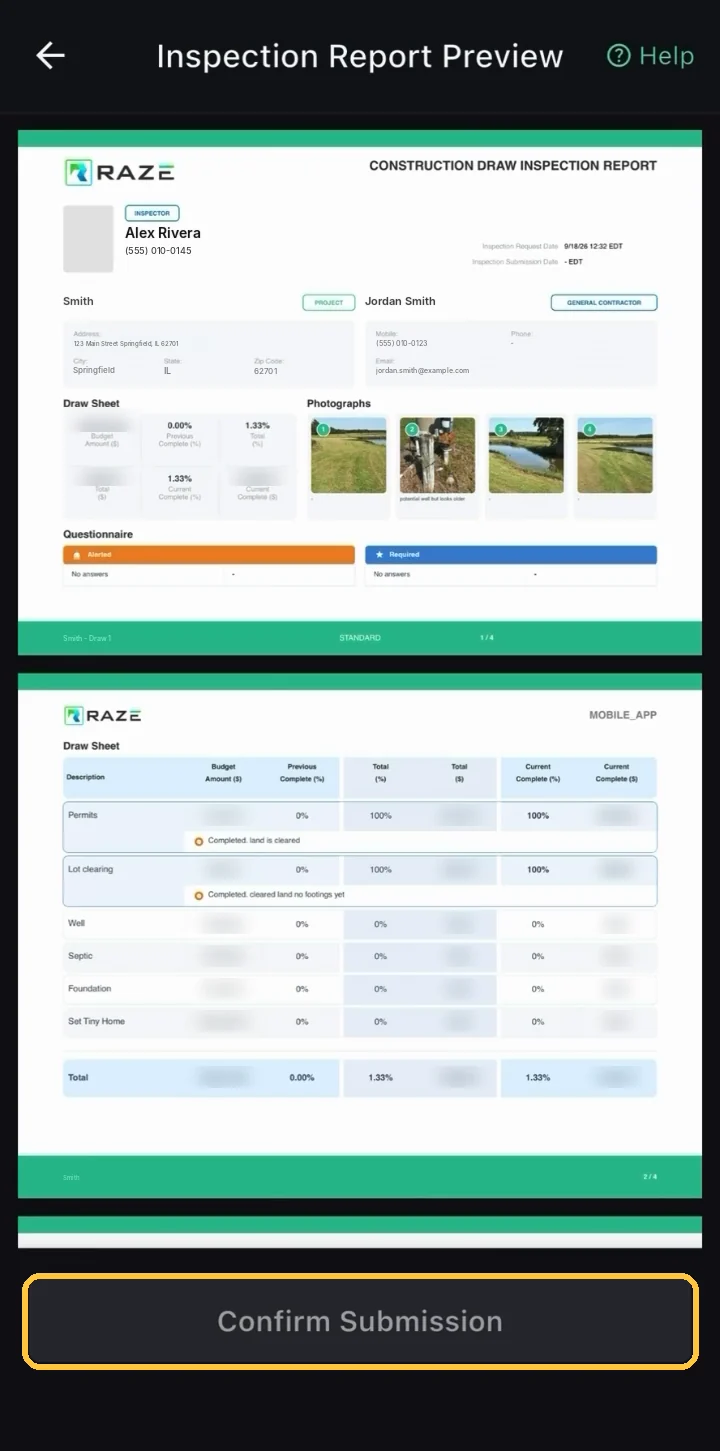
Preview the finished inspection report, confirm your submission, and find it later in My Past Inspections.
Reference pages and shortcuts that save time in the field, starting with the button glossary.
Guide 10
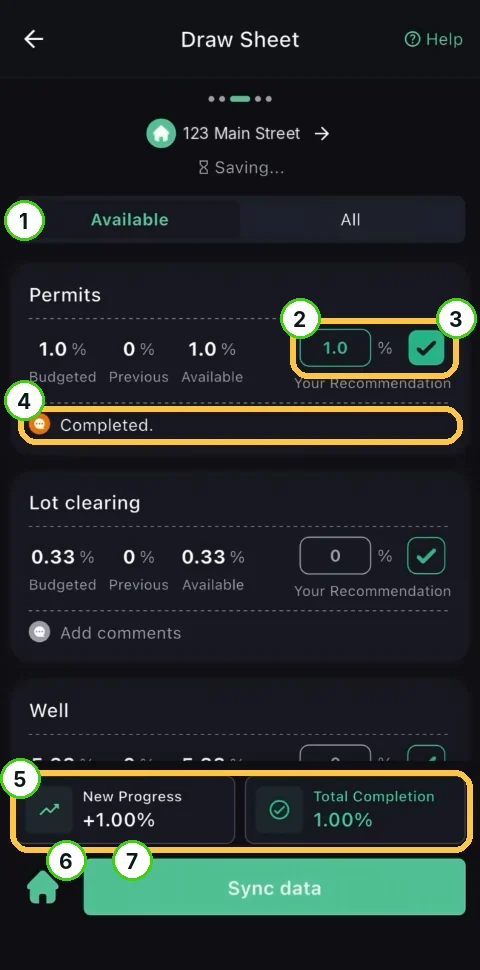
Every key button in the RAZE Mobile App, screen by screen, with what happens when you tap it.
For lenders
For vendors
For tech teams
For AI assistants
Ask RAZE AI for an instant answer from these guides, or send a request and the RAZE support team replies by email.
Ask RAZE AI.
Instant answers from these guides, any time.
Send a support request.
Tell us the product and guide; the form is here.
Call or email.