Banks
One report standard across every branch and vendor.
- Photo records built to support audit and exam review
- Runs beside your CLA, LOS, and core
- Marketplace coverage or your own inspectors
For Banks, Credit Unions & Private Lenders
One order, a vetted inspector on site, and a standardized report your draw team can fund against.
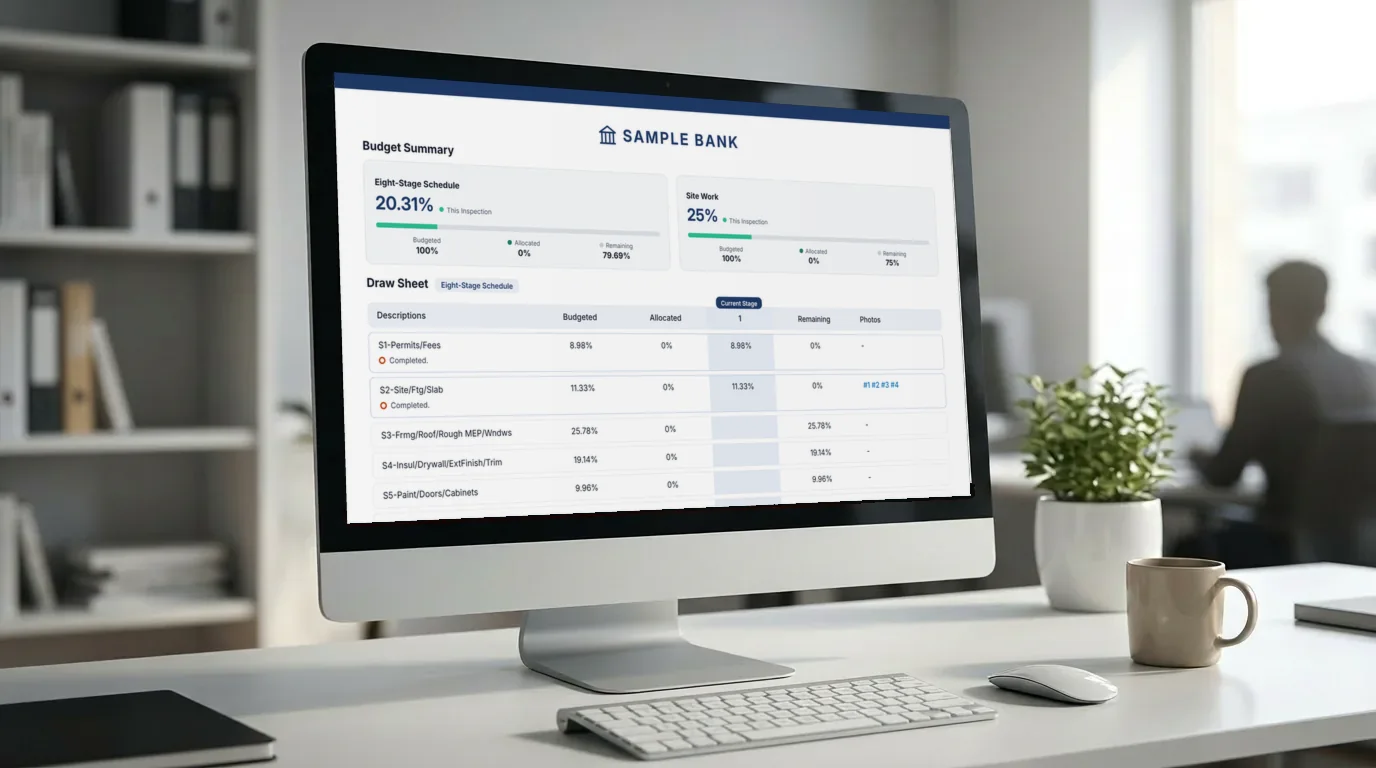
Trusted by lenders nationwide
$1B+
in monitored assets
51,000+
inspections submitted through the RAZE app
Any
U.S. address with draw inspection coverage
3,000+
applied vendors
As of October 2026.
“We used to spend hours coordinating inspection vendors by phone and email. With RAZE, we create the project once and the system handles scheduling, notifications, and tracking automatically. It feels like adding an operations team without adding headcount.”
Lenders and partners on RAZE
Who it's for
One report standard across every branch and vendor.
Nationwide coverage without building a vendor bench.
Field evidence you can fund against.
How it works
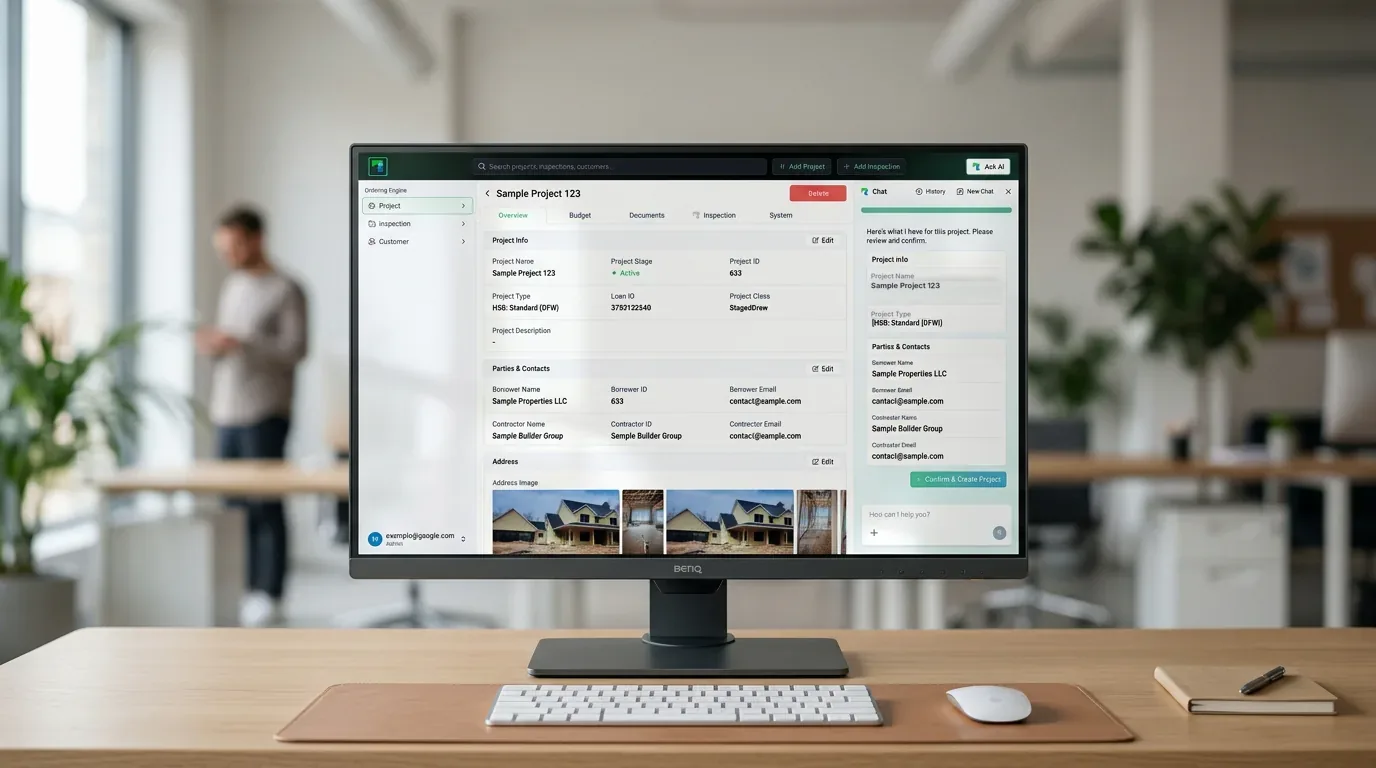
Order online, by API, or straight from your CLA. Send it to the Marketplace or to your own inspector.
Explore the Ordering Engine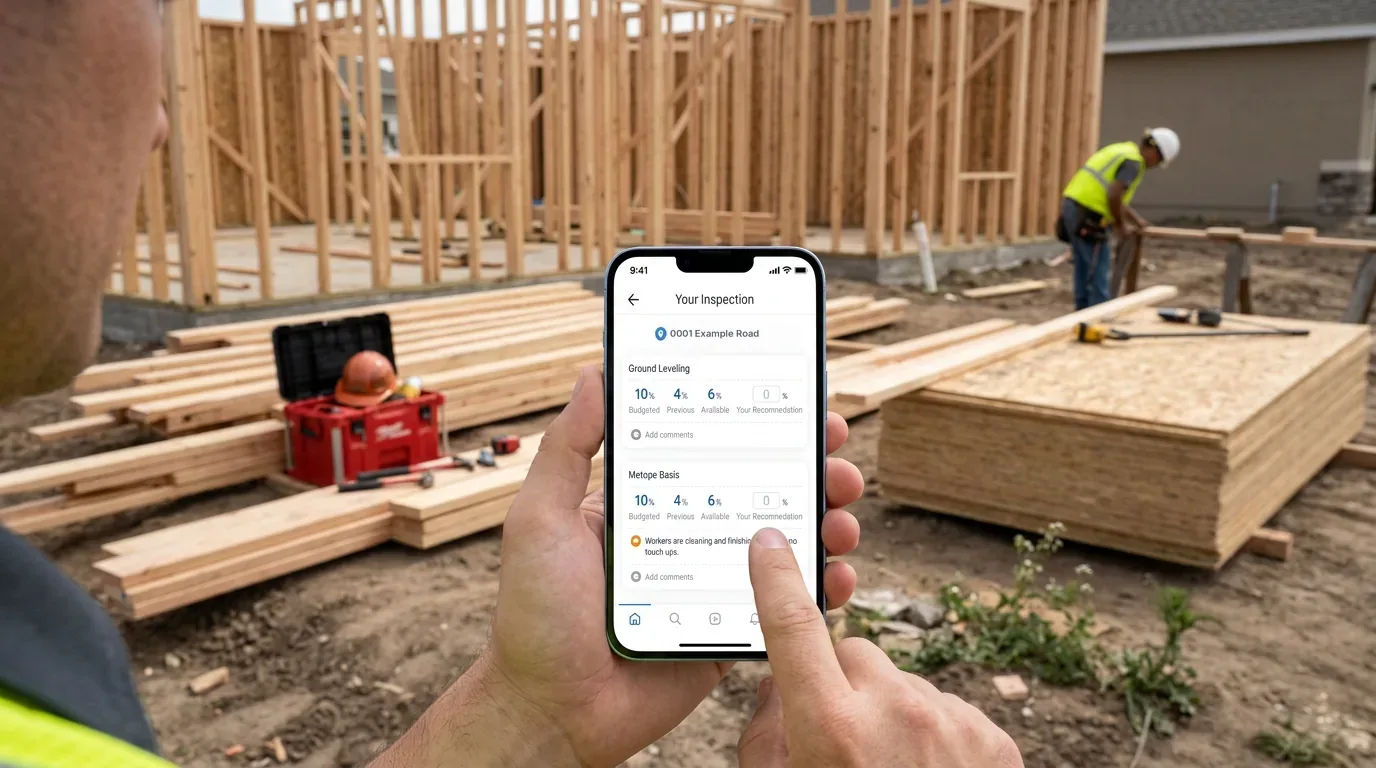
A vetted inspector records percent complete by line item, with time and location stamped photos.
Explore the Mobile AppRAZE reviews every submission, then a standardized PDF in your template and branding lands in your portal, tied to the draw. Choose the output your reviewers and auditors see.
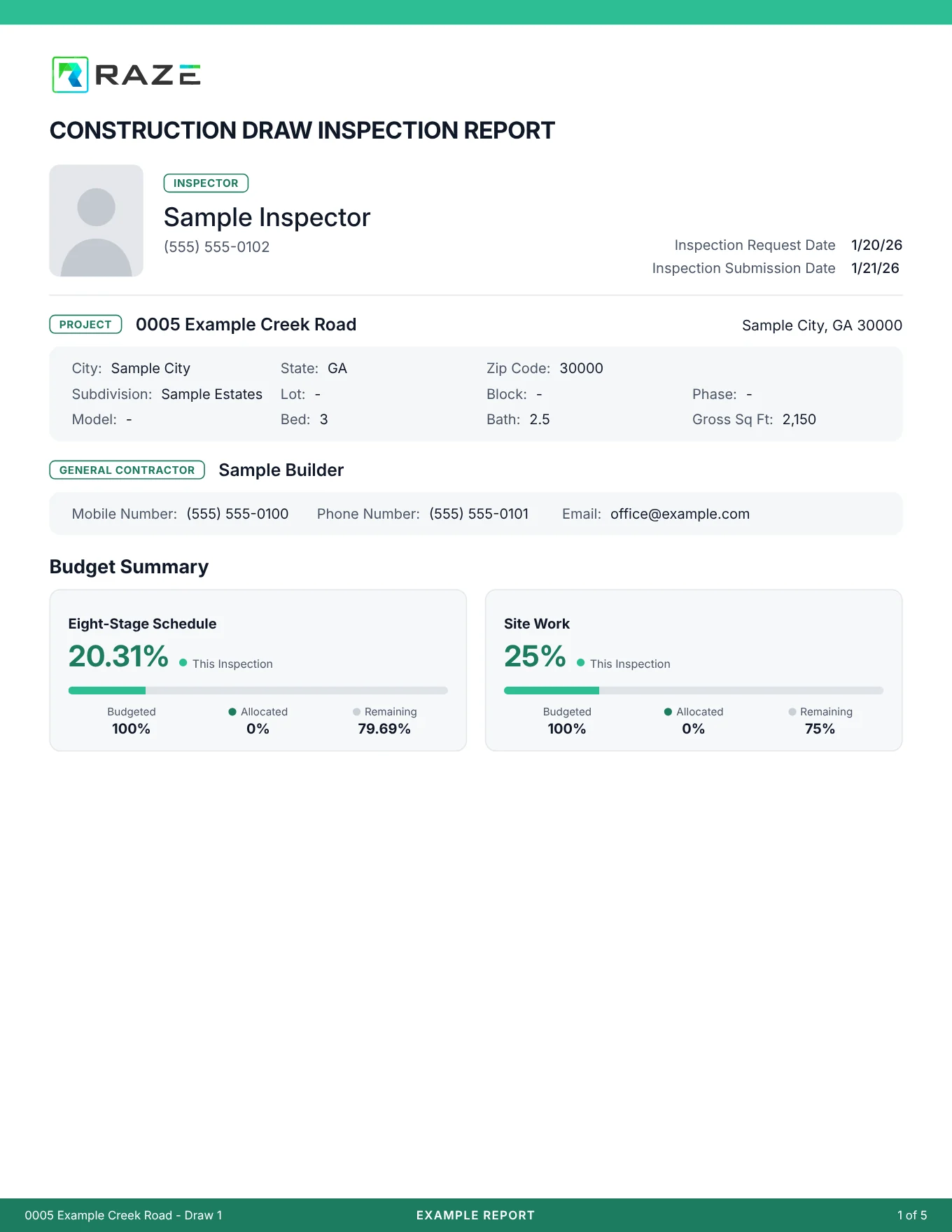
Report formats
RAZE builds your standard report once, and every inspection after that comes back in the same format.
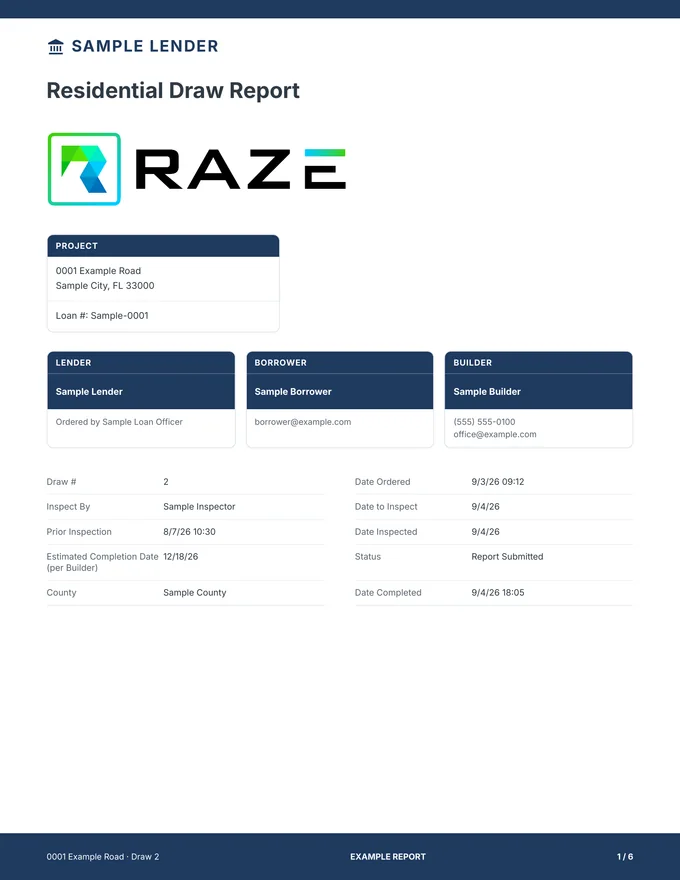
Your logo on the cover and every page.
Your brand colors on bars, headers and labels.
Project, loan number, lender, borrower, builder, draw number, dates and status.
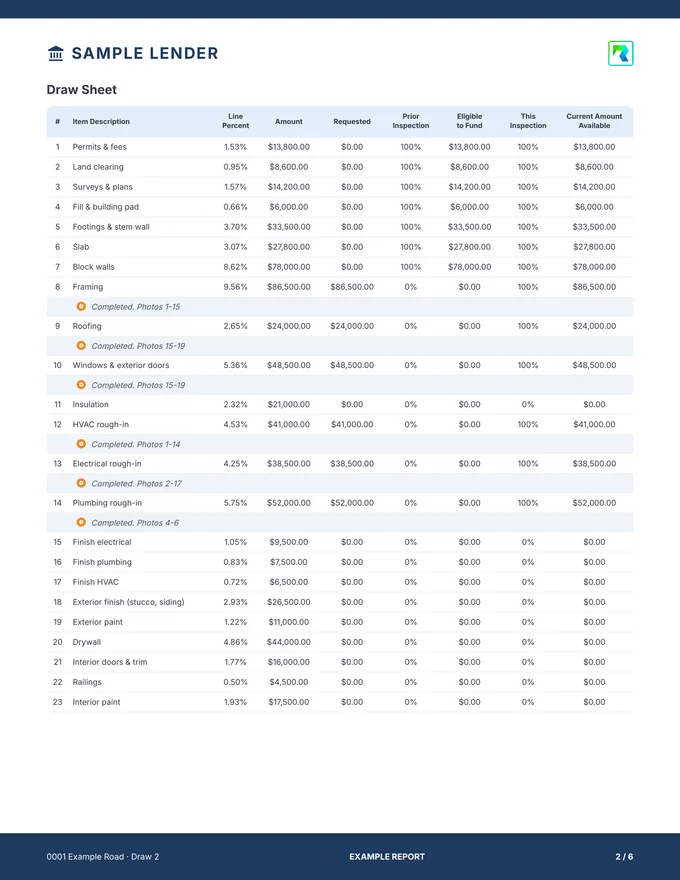
Line-item, percent-based stages or a custom budget in dollars, with a draw sheet per budget.
The inspector's note under each line this draw moved.
Your on-site questions, with required and alerted answers.
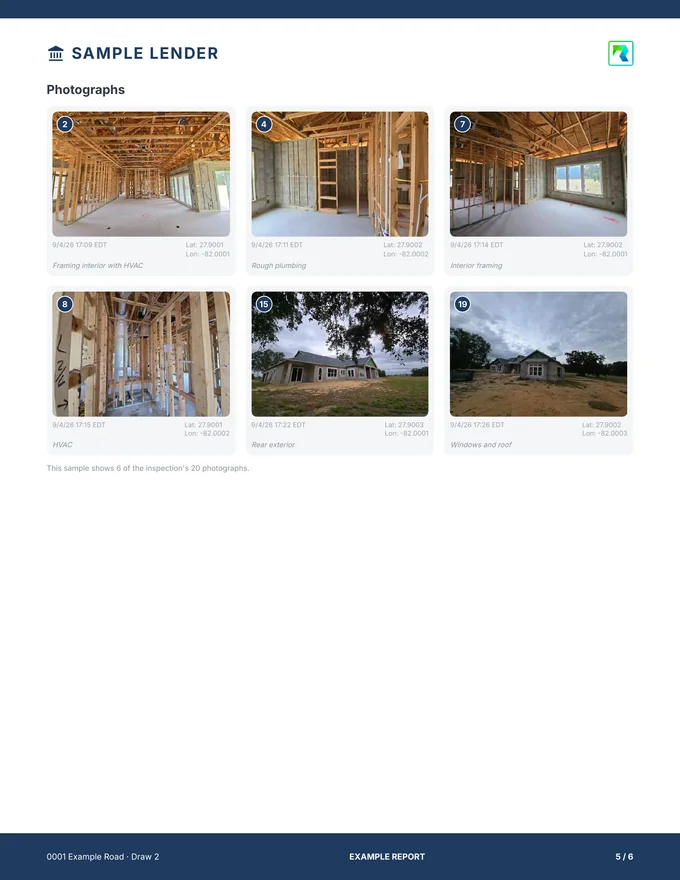
Numbered to the draw sheet, time and GPS stamped, with a details page for each.
Portrait or landscape, delivered as a PDF in the Ordering Engine and by API.
Draw sheet styles
Choose one of three styles or send us your current report, and RAZE builds your template from it.
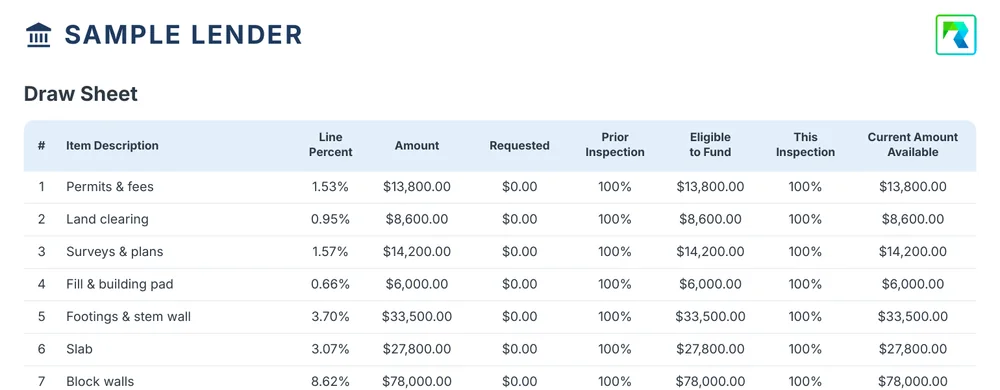
For loans funded against an itemized budget. Many lenders require it on residential loans over $1 million.
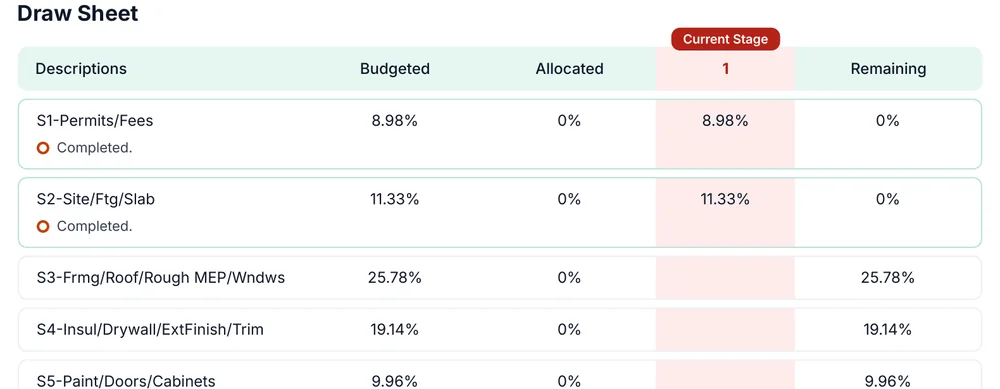
For programs that fund by fixed stages, such as an eight-stage schedule.
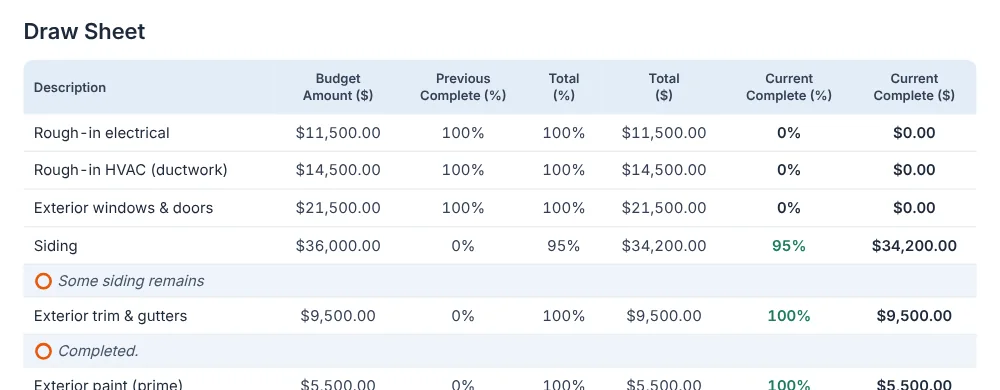
For custom budgets with as many lines as the project needs.
Building your template
Choose one of the three, or send us the report you use today.
Your logo, colors, cover fields and on-site questions.
Every inspection after that comes back in your format.
Marketplace inspectors
Each inspector meets RAZE's published qualification standards before they can view or accept your order.
Screening steps
Government-issued ID, verified through a third-party identity provider.
A residential draw inspection questionnaire with a minimum passing score.
U.S. and international sanctions and wanted-persons lists, including OFAC and Treasury's SDN list.
Proof of coverage on file, then verification and approval by RAZE before any assignment is visible.
Standards to stay on the network
At least three years of residential draw inspection experience, or backing by a referral or recommendation.
Secure passwords and smartphone encryption, every account verified and approved by RAZE, and one device per profile at a time.
Anyone who falls out of compliance is removed from the network.
Who does what
Visits the site and captures the evidence in the RAZE Mobile App.
Approves each inspection or rejects it with a reason, or your team turns on auto-approve. Funding stays your decision.
AI does not inspect properties or approve draws.
Outcomes
Marketplace inspectors, your vendors, and your staff follow the same requirements.
Reviewers validate a standardized report instead of chasing photos and context.
Photos, notes, and metadata stay tied to each draw as one retrievable record.
Runs beside your CLA, including Presidium by CodeFi, with no core or LOS change.
Pricing
No minimums and no platform fee, billed monthly.
Marketplace
$125
per inspection, single-family
RAZE sends a background-checked inspector and reviews the report.
Direct Request
$25
per request, any residential property
You send your own inspector through the same workflow and report.
Rates are for residential draw inspections and are subject to a RAZE master services agreement. Contact us for commercial and portfolio pricing.
Common questions
The same site visit is also called a construction draw inspection, a progress inspection, a construction loan inspection, or a bank or lender draw inspection. Each documents the work in place against the draw request before the lender releases funds.
Marketplace means RAZE assigns a vetted inspector, manages scheduling, reviews the report, and delivers it. Direct Request means you send your own inspector or vendor through the same workflow and template. Both run in the same portal.
Every inspector and inspection firm passes identity verification, a residential draw inspection competency assessment, watchlist and AML screening, and an insurance check before RAZE approves them to view or accept an assignment. Each inspection company or contractor needs at least three years of residential draw inspection experience, and inspectors with less experience must be backed by a referral or recommendation. Required insurance minimums are $250K general liability, $250K professional liability, $300K automobile per occurrence and statutory workers' compensation.
Across the U.S., a standard residential draw inspection typically costs $100 to $300 per site visit. Through RAZE it is $125 per single-family inspection through the Marketplace, plus $35 per additional unit (duplex $160, triplex $195, quadplex $230). RAZE Direct Request is $25 per request. No minimums and no platform fee.
In your RAZE portal, attached to the project and the draw it supports. Download it as a PDF or, where your CLA is integrated, receive it directly in the draw record.
Yes. RAZE builds your standard report once with your logo, brand colors, cover fields, on-site questions and one of three draw sheet styles: line-item, percent-based stages or a custom budget in dollars. Every inspection after that comes back as a PDF in the same format, in the Ordering Engine and by API.
Yes. When a project carries more than one budget, such as the house and a pool, the residential report gives each budget its own draw sheet with its own totals, opens with a Budget Summary of one card per budget and closes the draw sheets with a one-row-per-budget recap table. It is the default layout, so there is nothing to set up.
Yes. Required photos, line items, observations, and completion criteria are configured per workflow so every inspection meets your policy.
No. RAZE standardizes the inspection workflow and documentation around the systems you already use, including Presidium by CodeFi.
Yes. API integration is included, and the RAZE MCP server lets you order, review, and report on draw inspections from MCP-compatible AI assistants and agents.
Inspection firms that run commercial draws with their own inspectors license the same workflow.
Keep reading
Who pays, how often, and what drives turnaround.
What happens between the draw request and funding.
Photos, draw sheet, and the record your auditors expect.
An honest comparison of the options for lenders.
Ready to start
Book a 30-minute demo, or order one inspection and see the report for yourself.