Inspection firms and construction consultants
Commercial draw inspections, run by your own inspectors on RAZE.
License the RAZE platform to order, capture and deliver your firm's commercial draw reports, from order to delivered report.
The problem
Commercial draws outgrow email and spreadsheets.
A commercial draw moves through a pay application, a site visit, a line-by-line review and a narrative report, often in four different tools. Budgets change during the project, and the record of what changed sits in an inbox. Each report is rebuilt by hand.
The workflow
See a commercial draw run, screen by screen.
Five steps from order to delivered report, shown with sample data.
Order
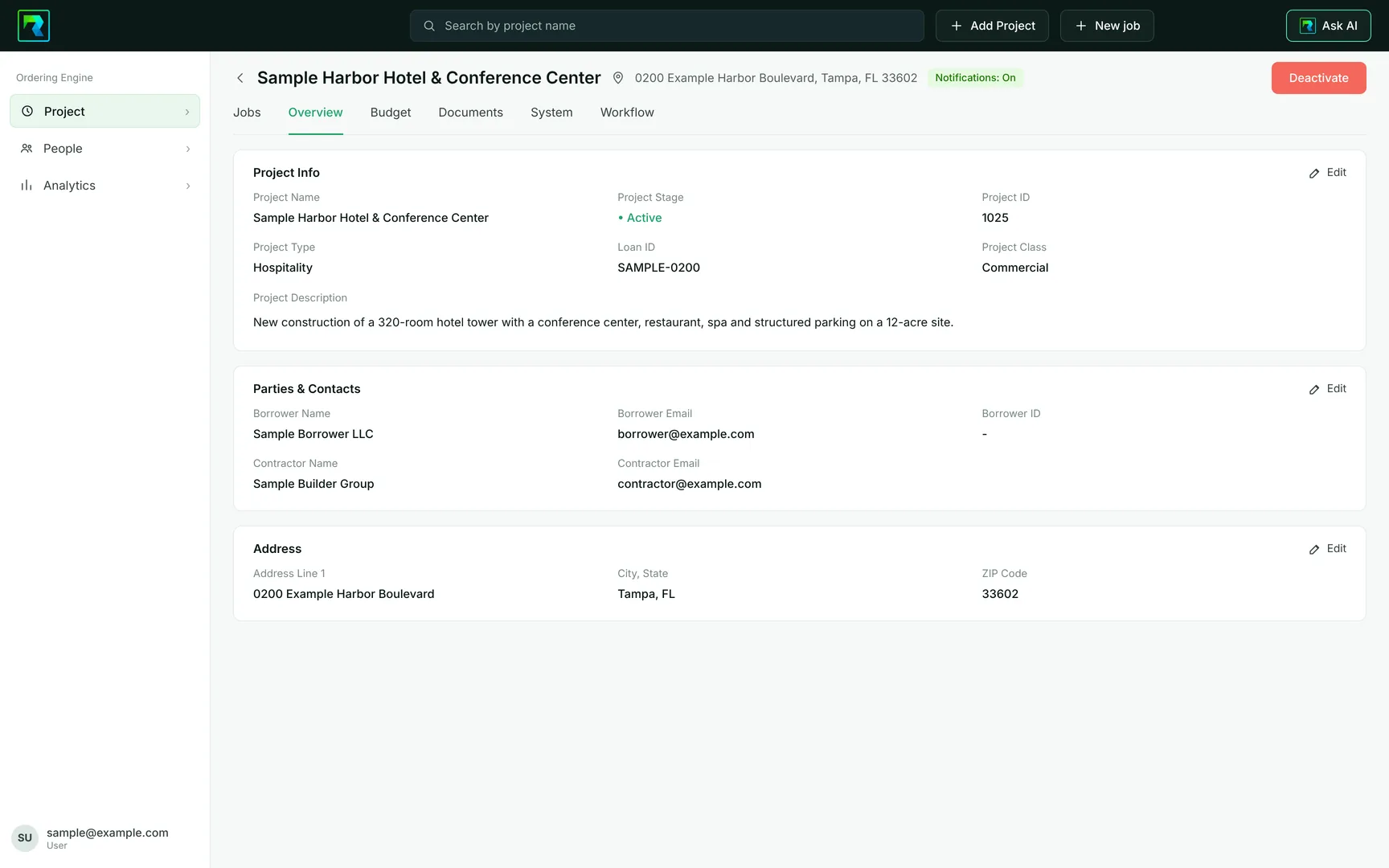
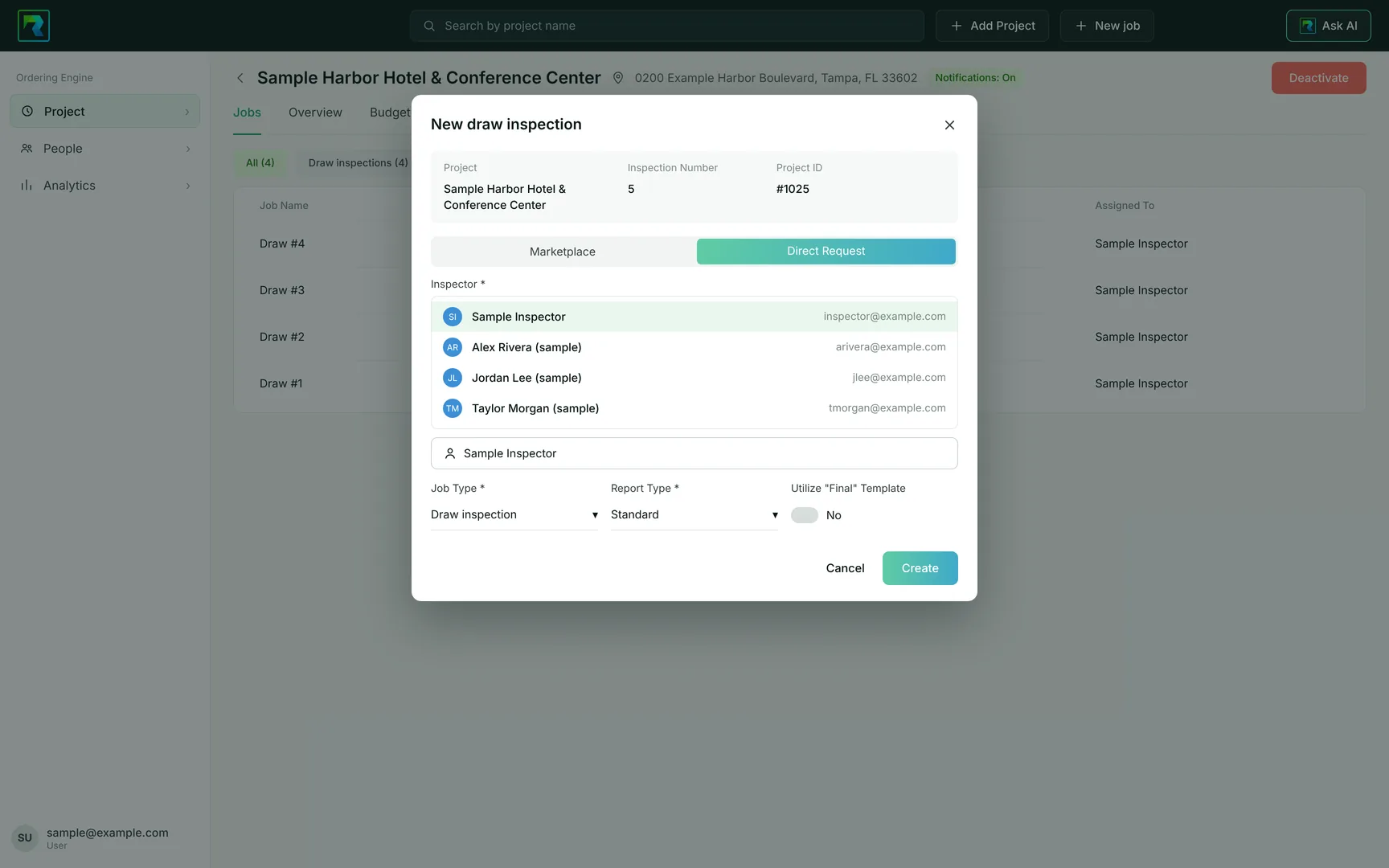
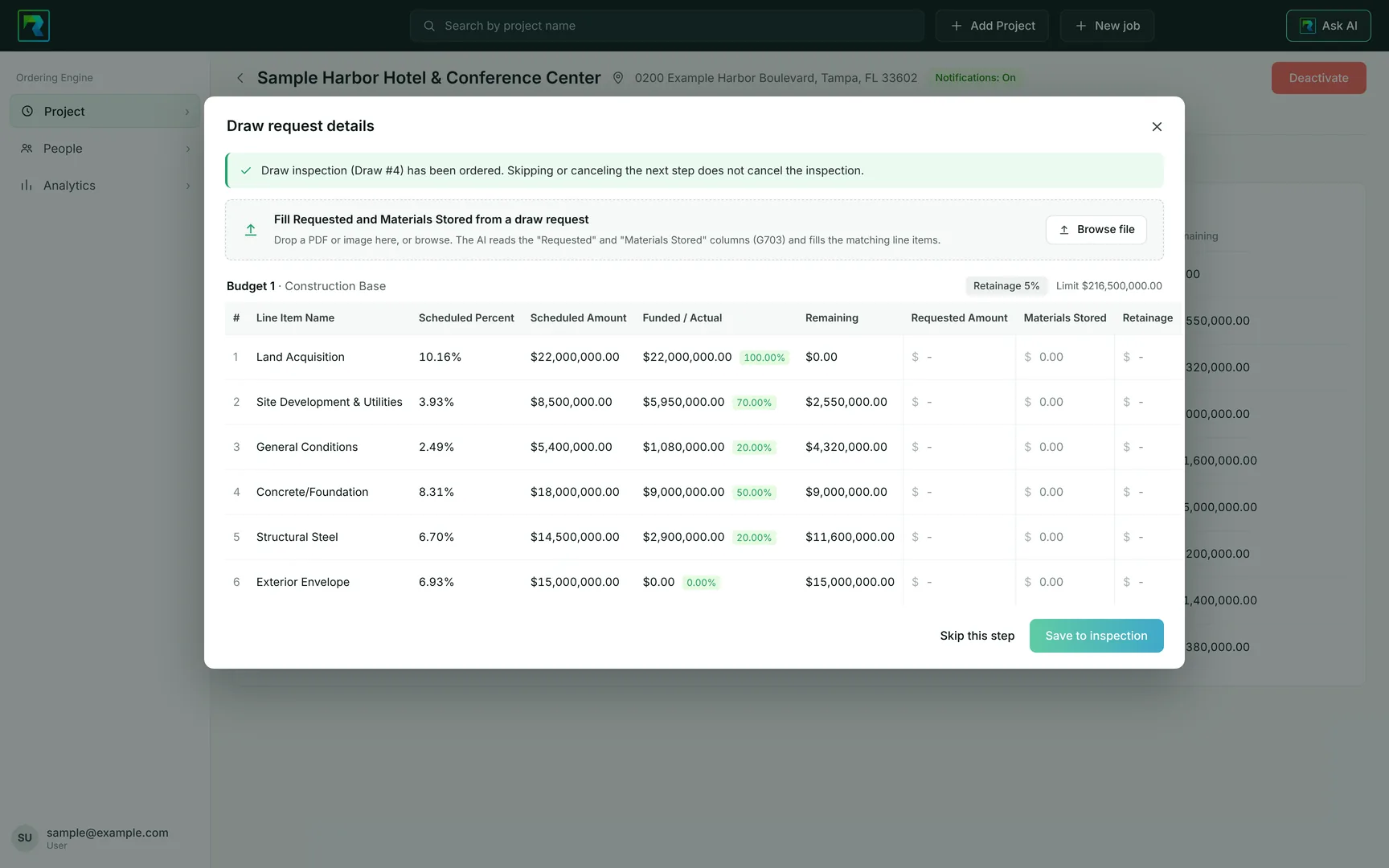
Create the project in the Ordering Engine with its budget, then order the draw inspection and assign your inspector. Drop the pay application on the order and RAZE AI fills the requested and stored amounts from the G703 for your team to check.
Capture
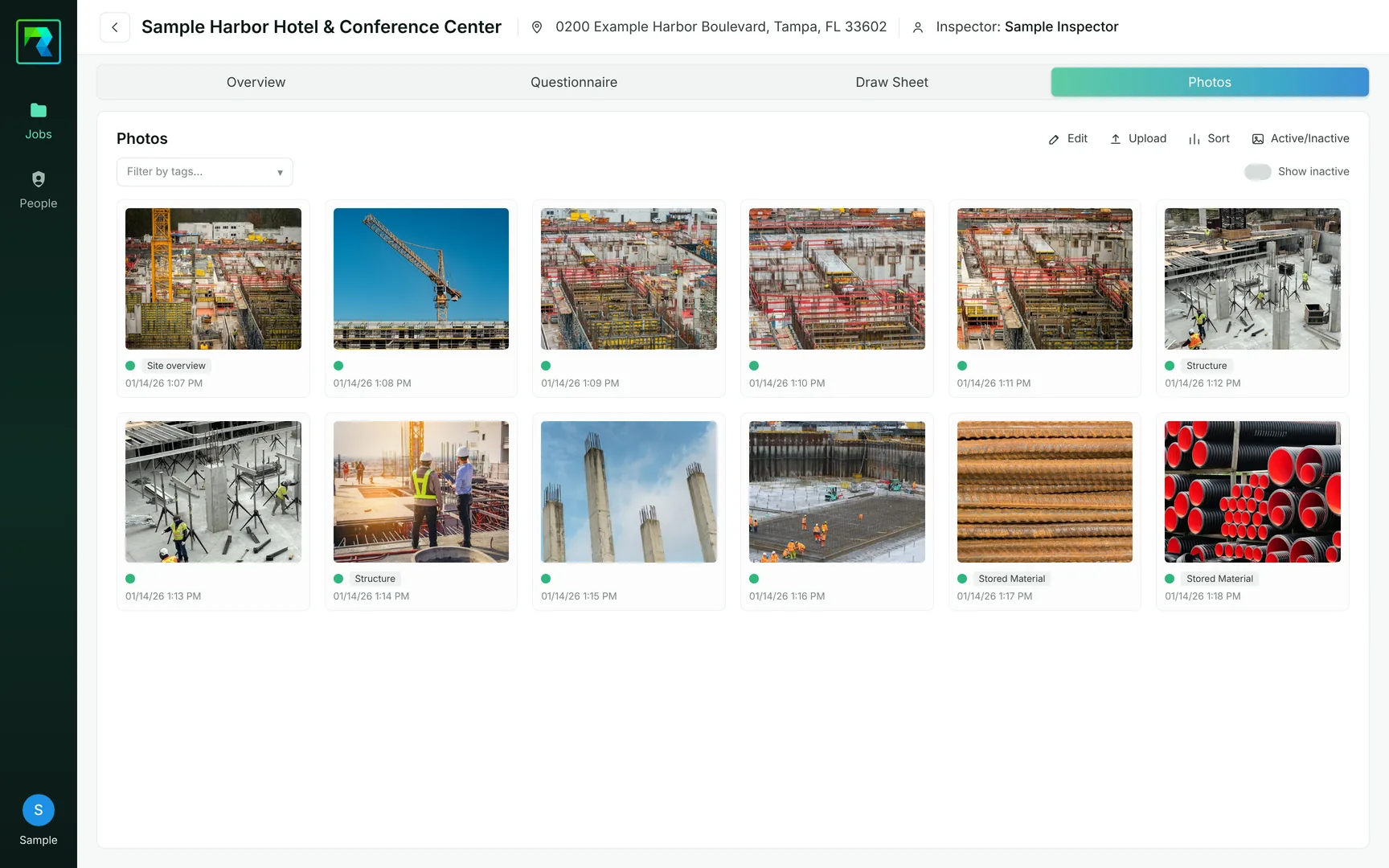
Your inspector photographs the site in the RAZE Mobile App. Each photo carries its time and location, and photos you mark inactive stay with the job and out of the report.
Complete the draw sheet
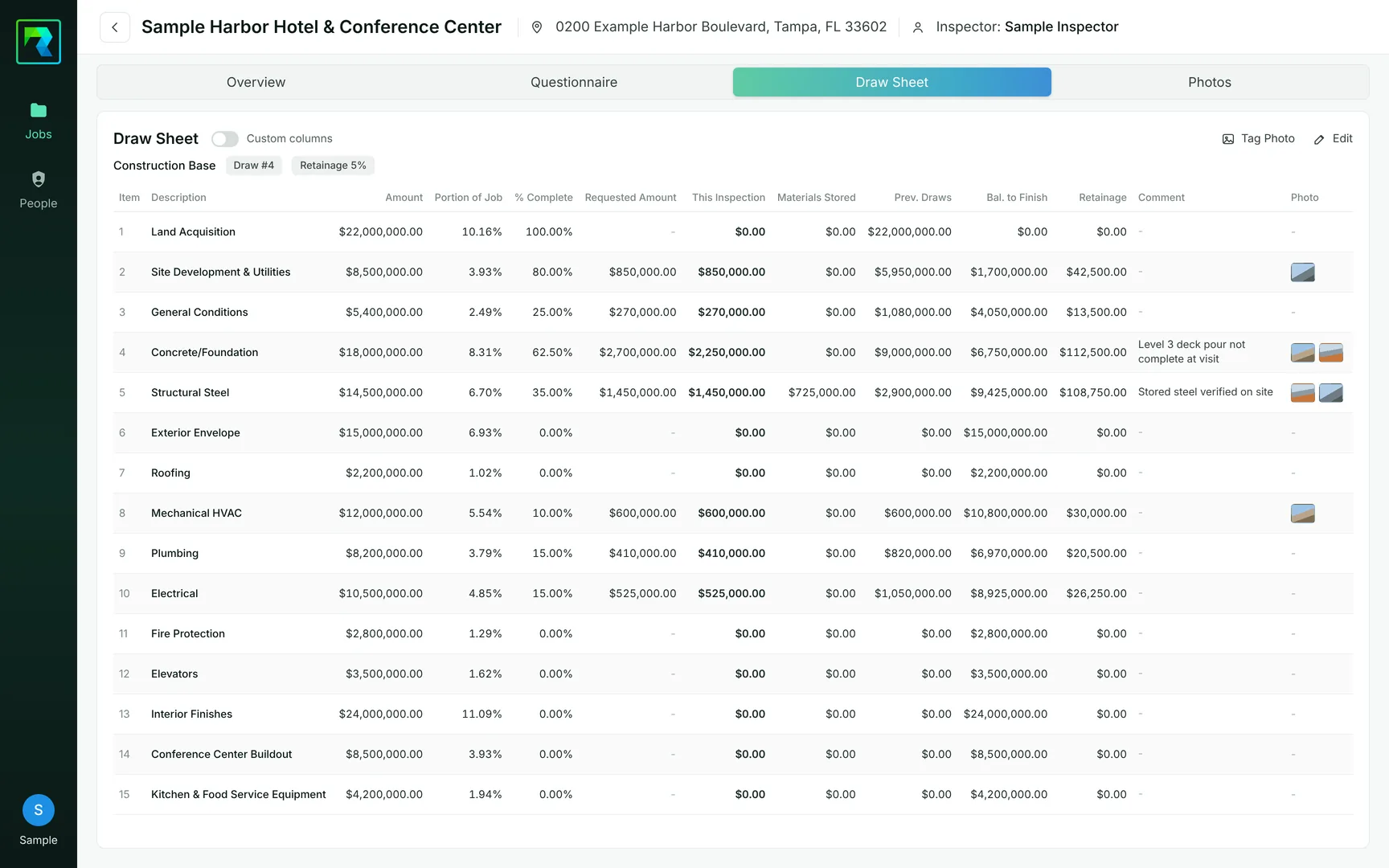
In the Inspector Portal, your inspector works the draw sheet line by line: requested amount, this inspection, materials stored, retainage, comments and photos.
Write the report
Narrative pages follow your firm's sections, with tables, bullets and headings. Preview the PDF, then submit it from the Inspector Portal.
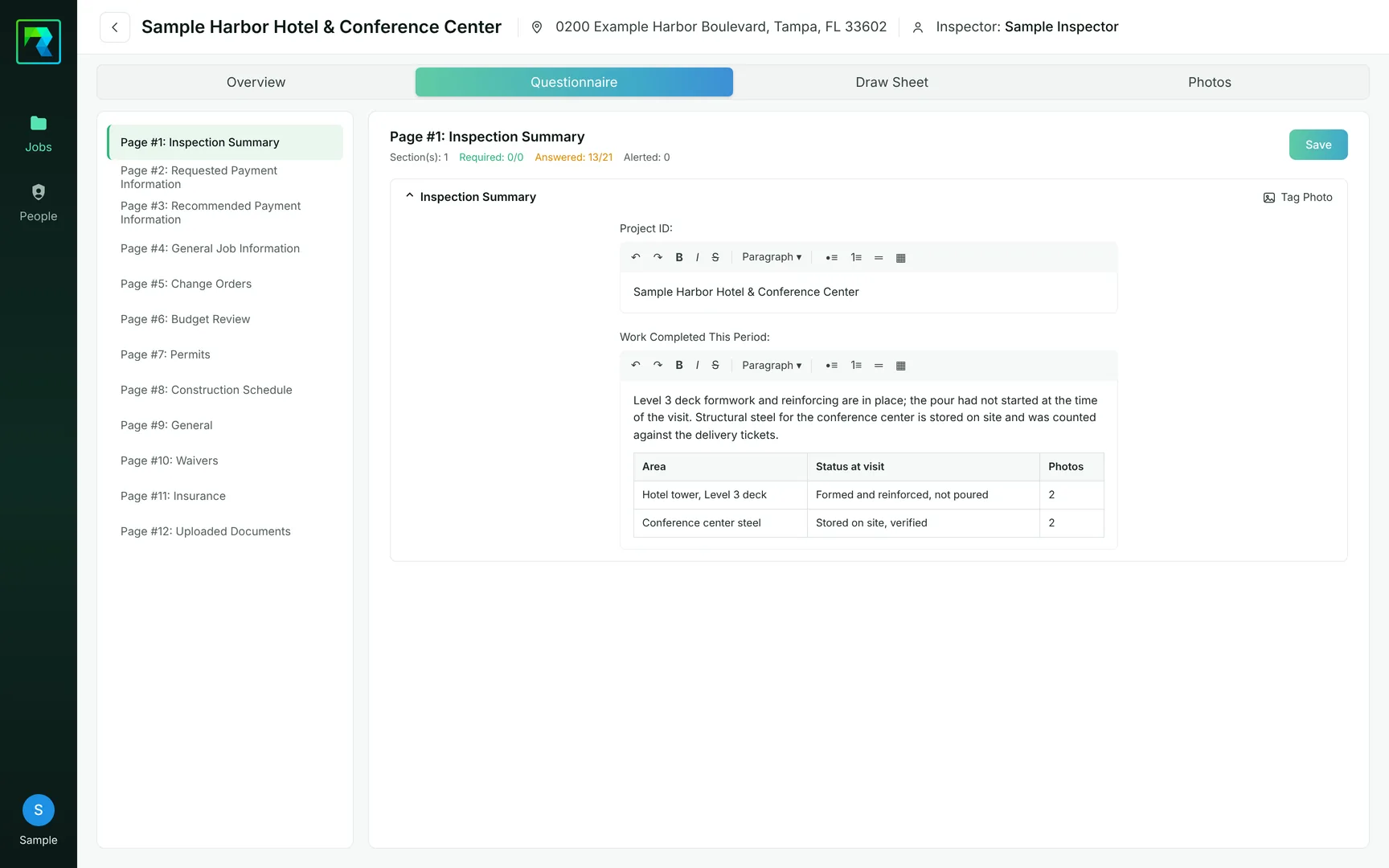
Deliver
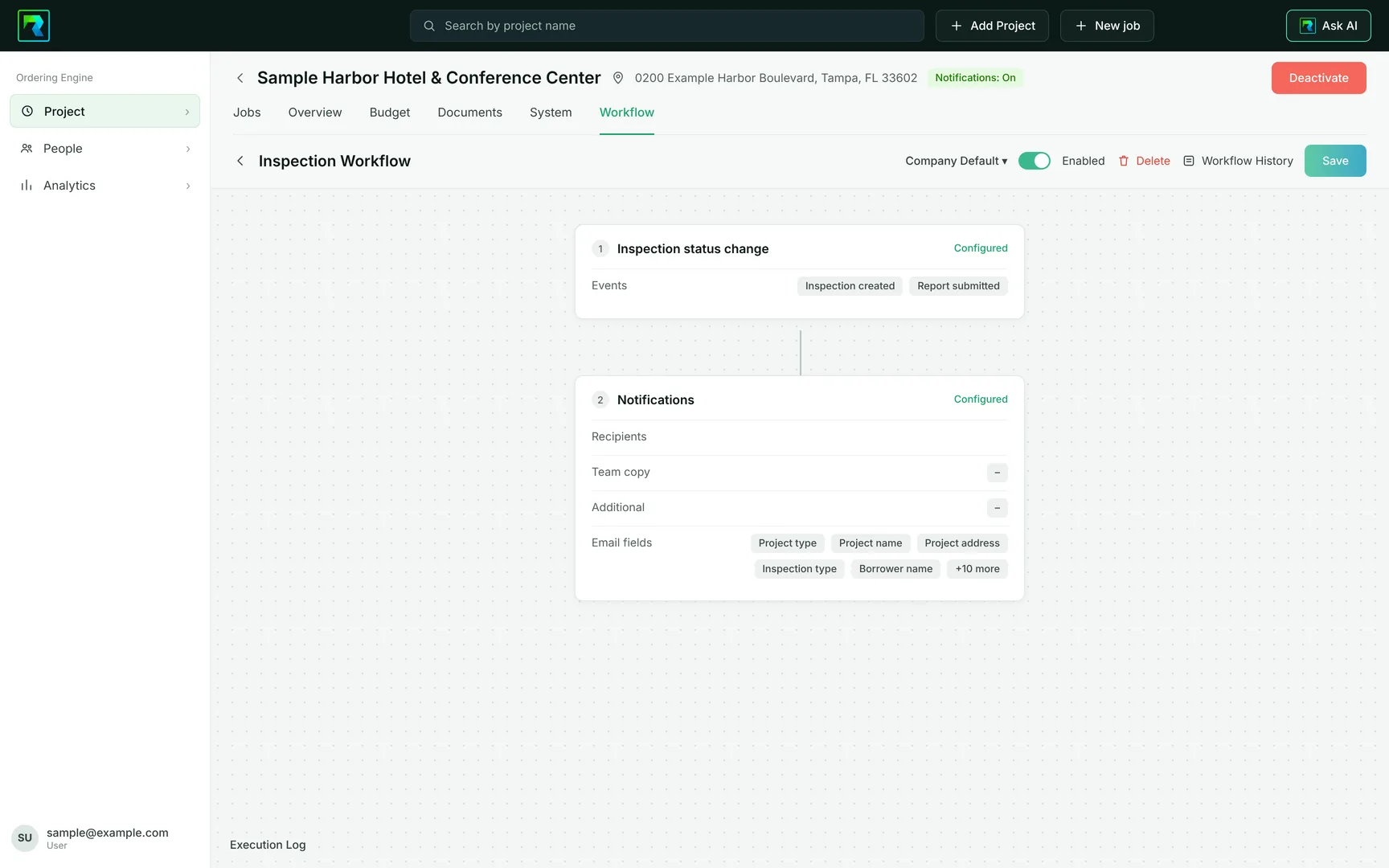
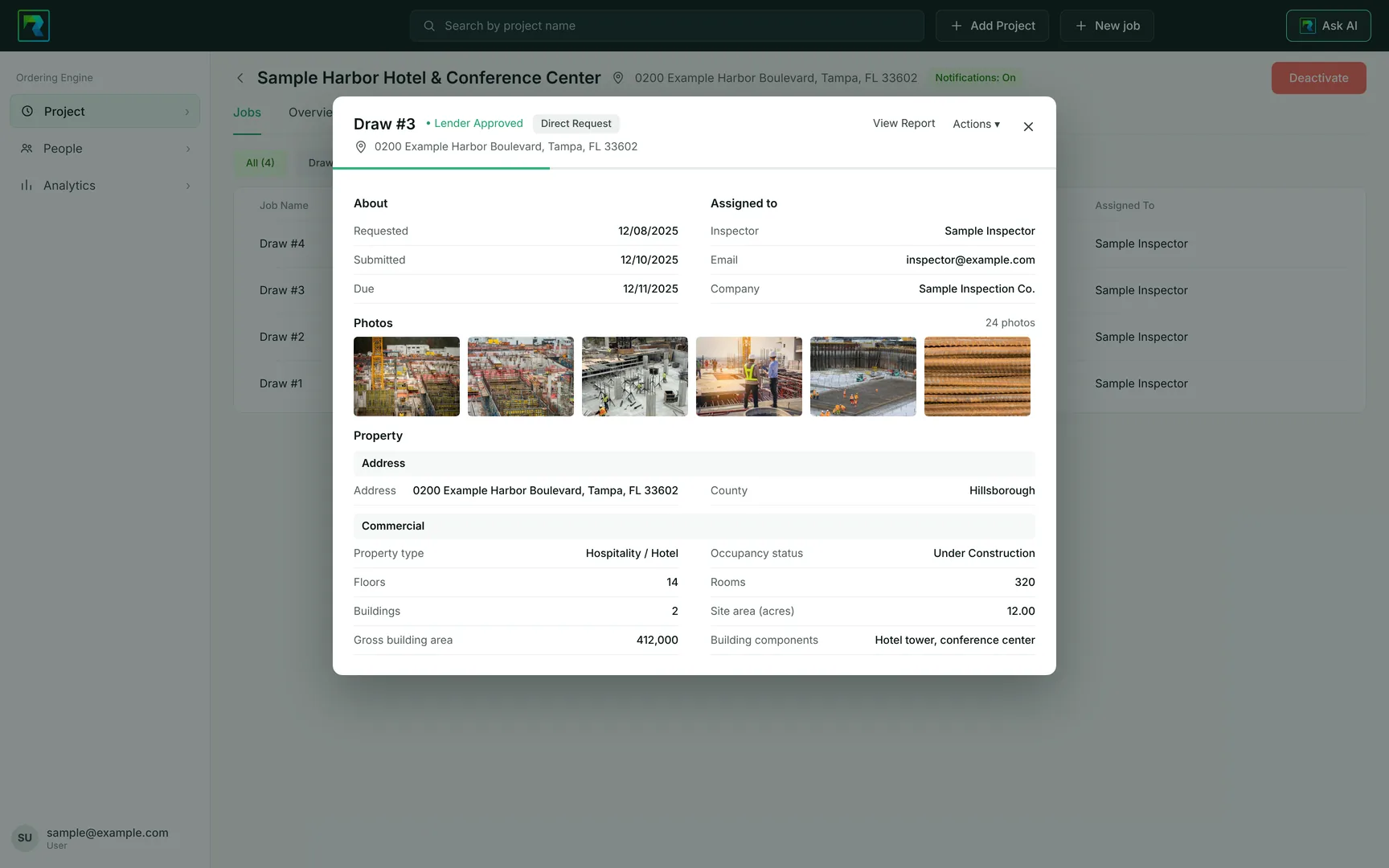
RAZE generates the standardized commercial draw report, which you own. Email notifications tell your desk when a report is submitted, and the quick view puts the whole inspection in one panel.
Capabilities
Built for how commercial draws are reviewed.
The record your reviewers and your lender clients ask for, kept with the project.
Set up the project once.
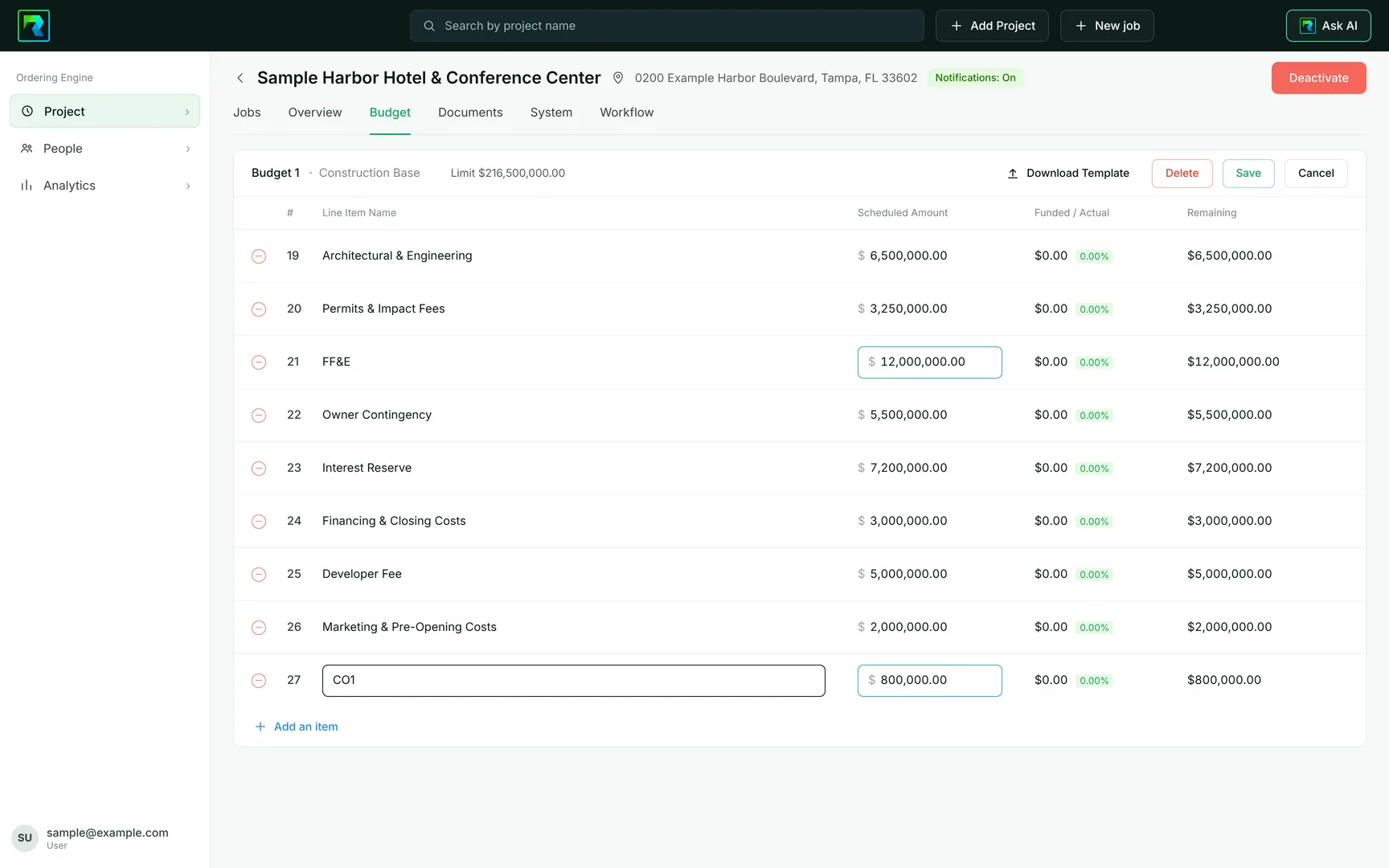
The project, its parties, its budget and its documents live on one record your whole team works from.
- The budget is your schedule of values, line by line, with what is scheduled, funded and remaining.
- Record a change order as a budget edit. The budget history keeps every version, and a side-by-side comparison marks what changed.
- Keep the appraisal, plans, contract and insurance in folders with the project.
- One search covers projects, jobs and people, and each user sets their own columns.
Order with the request attached.
Send the job to the inspector you choose and attach the contractor's request before anyone drives to the site.
- Direct Request sends the inspection to your inspector, who is told by email.
- Drop in the pay application and RAZE AI fills the requested and stored amounts on the matching budget lines for you to check.
- Set retainage on the budget, on the order or on the draw sheet.
- RAZE flags a request that would fund a line past what remains.
- The Final template sets the photo order: every exterior first, then the interior. The first four photos are the elevations, and the report carries at least 30 photos.
Inspect on a continuation sheet, not a checklist.
The inspector works the same lines the contractor billed, with photos and a narrative in your firm's own sections.
- Photos from the RAZE Mobile App arrive with their time, place, comments and tags. Mark the extras inactive: they stay with the job and out of the report.
- The commercial draw sheet carries this inspection, materials stored, retainage, a comment and photos on every line.
- The narrative is written in pages and sections set up for your firm, with tables, headings and bullets.
- Preview the full report before you submit it.
Review, decide and hand it on.
The reviewer sees the whole inspection in one panel, makes the call and sends the record wherever it needs to go.
- The quick view shows the dates, the inspector, every photo with its comment, the narrative and the draw sheet.
- Your reviewer accepts or rejects each submitted inspection, unless your institution has turned on auto-approve. An accepted inspection shows Lender Approved. RAZE AI suggests and flags; it does not decide.
- Email notifications tell the right people when an inspection is ordered and when a report is submitted, with the details you choose. Save the set once and reuse it on the next project.
- Download every report on a project as one ZIP file, or export the data as CSV with the columns you choose.
Ask your portfolio a question.
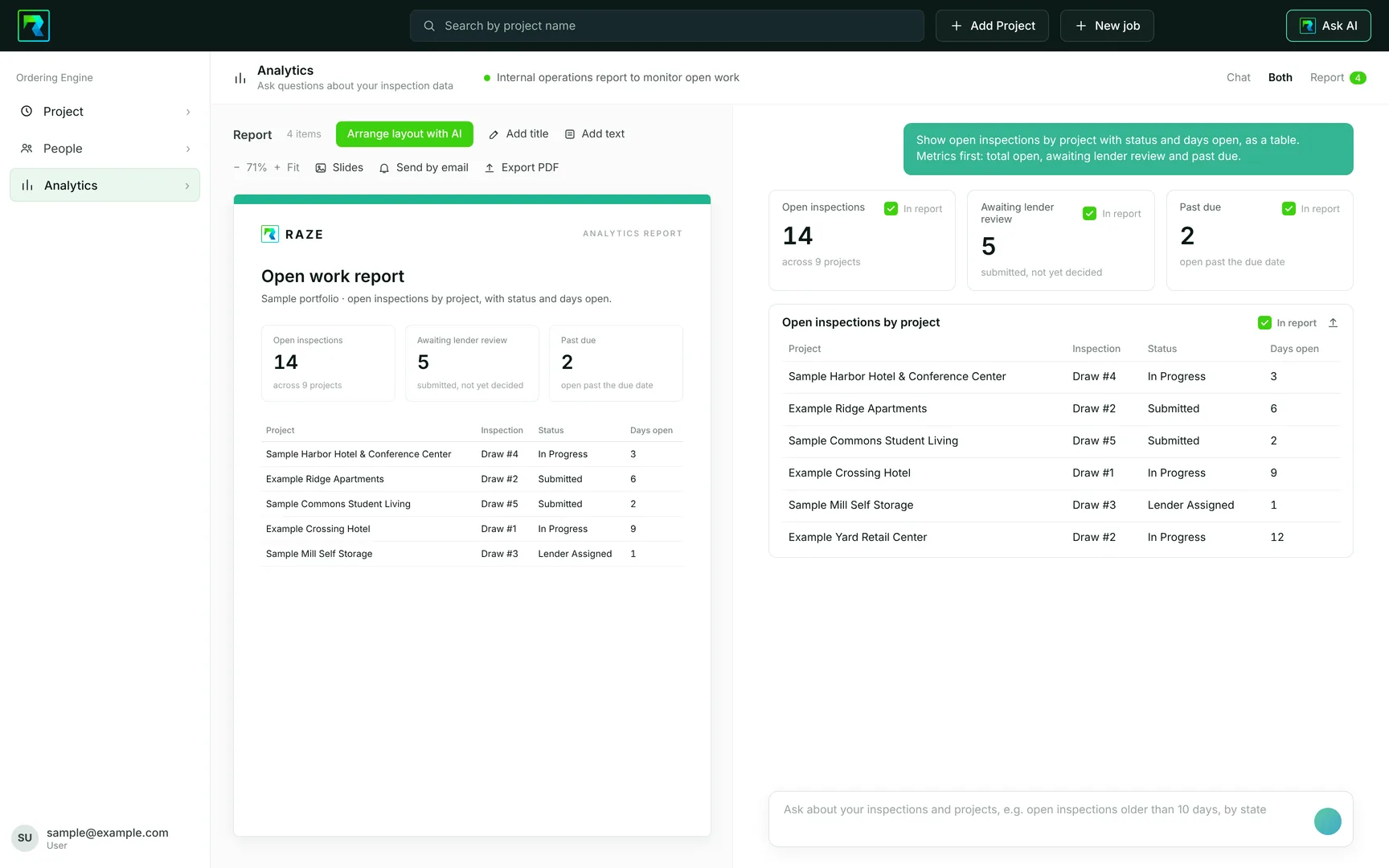
The Analytics Hub answers from your own inspections and projects, and turns the answer into a report you can send.
- Start from a preset such as open work and aging, awaiting lender review, stalled projects or documentation gaps, or type your own question.
- Answers come back as figures, tables and charts. Any table downloads as CSV.
- Tick the answers you want and they build a report. Export it as a PDF or as slides, or send it by email from the same screen.
- The Analytics Hub comes with your draw inspections under an active RAZE agreement.
One system for draws and assessments.
A property condition assessment runs on the same order, capture and report steps.
- The assessment has its own narrative pages and photo tags by building system.
- The report opens with a linked table of contents, and the photos can run as an appendix with a map for each one.
RAZE AI suggests and flags. Your inspector checks every value before the report is submitted.
What RAZE does and does not do
Your inspectors. Your report.
RAZE licenses the platform. Your firm performs the inspection and is the inspector of record. RAZE sends no inspector into your account and performs, reviews and certifies no inspection under this license. The commercial license does not include residential draw inspections, which run on the residential Rate Card.
Built to support audit and exam review.
Pricing
Published commercial pricing.
RAZE publishes its commercial pricing: under the Founders Rate, a Standard commercial draw inspection report is $25 per report, with no minimums, no seat fee and no platform fee. Implementation is scoped to your program and quoted before you sign.
Lenders
For lenders with their own inspectors.
Lenders that inspect commercial projects with their own staff license the same module. Lenders that want RAZE to send the inspector on commercial projects are scoped to the institution's volume, fulfillment model and reporting requirements.
Common questions
Common questions.
In the RAZE Inspector Portal. Your inspector captures photos in the RAZE Mobile App, then completes the commercial draw sheet and submits the inspection in the Inspector Portal, where RAZE generates the standardized report.
In the project's budget. Edit a line or add a change order line in the Ordering Engine and RAZE keeps the budget history, with a side-by-side comparison of the previous and new budget.
Yes. The Inspection Workflow sends email notifications when an inspection is created or a report is submitted, to the people and mailboxes you choose.
Yes. The narrative pages of the commercial draw report are set up in your firm's own sections, with tables, bullets and headings.
Under the RAZE Founders Rate, a Standard commercial draw inspection report is $25 per report, with no minimums, no seat fee and no platform fee. Implementation is scoped to your program and quoted before you sign.
No. RAZE licenses the platform. Your firm performs the inspection and is the inspector of record.
In RAZE a change order is recorded as a budget edit: the amount moves off one line and a new line is added for the change order. Each save is kept in the budget history with the user and the time, and a side-by-side comparison marks what changed.
Each budget line shows what is scheduled, what is funded and what remains. RAZE flags a request that would fund a line past what remains, so the reviewer sees it before deciding. The decision stays with the reviewer.
Your reviewer does, unless your institution has turned on the auto-approve setting. In the RAZE Ordering Engine the reviewer opens the submitted inspection, reads the report and accepts or rejects it. RAZE AI can fill and flag; it does not accept an inspection or approve a draw.
Yes. In the RAZE Analytics Hub you tick the answers you want, add a title and your own notes, and export the report as a PDF or as slides. You can also send it by email from the same screen.