New: AI Photo Comment & Draw Review Assistance

The Draw Inspection App From Site Visit to Submitted Report

Capture photos and line-item progress, complete the lender's questionnaire, then generate and submit the PDF report, all from the job site. Built for construction lenders and the inspection vendors who serve them.

  • Guided photo & data capture
  • Lender questionnaires
  • PDF reports built in the app
  • Offline field sync
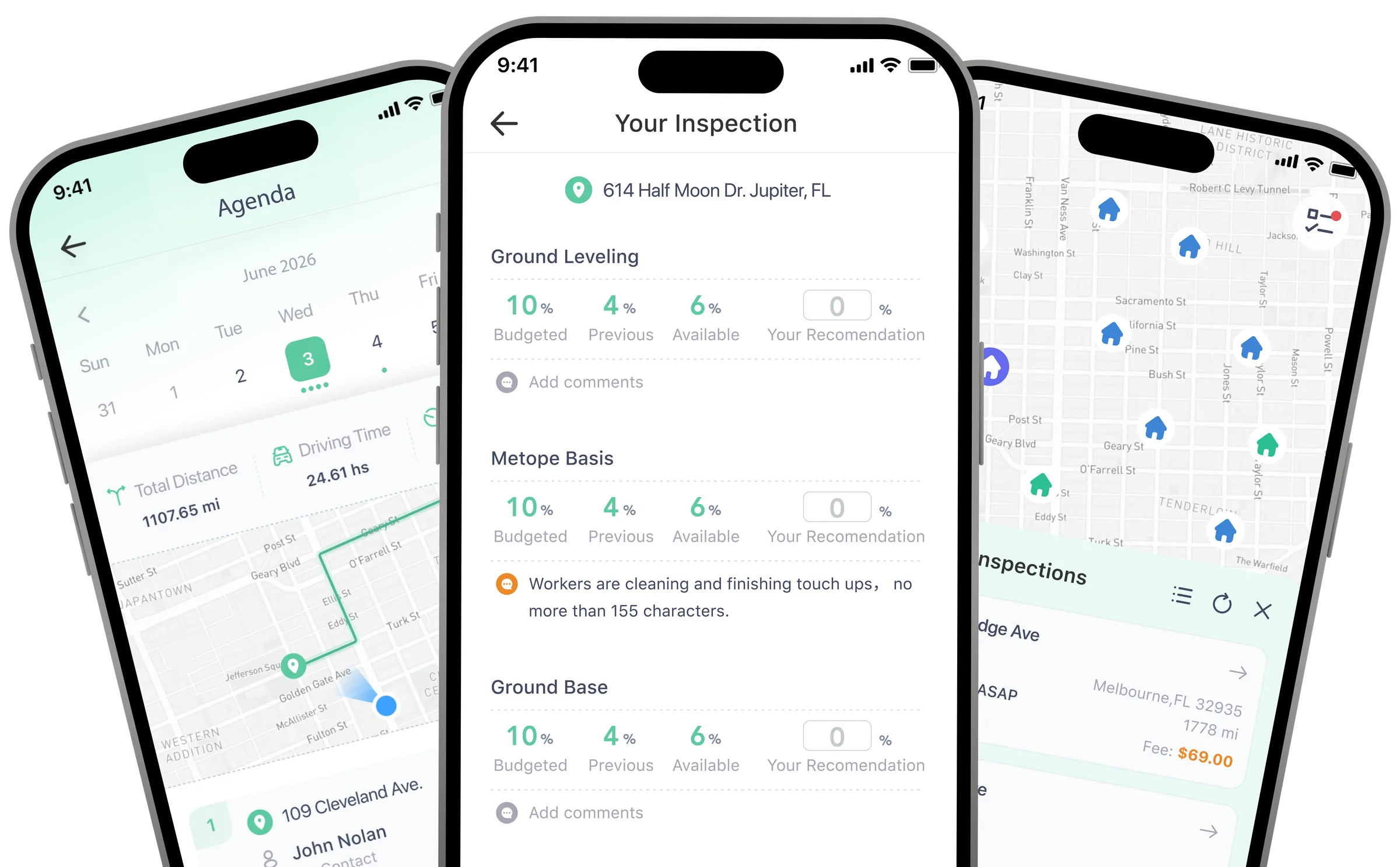
RAZE draw inspection app screens: an inspection agenda with route map, draw line items for an inspection, and a map of nearby inspections

Trusted by construction lenders and their inspection partners

Presidium
Happy State Bank
United Bank
MidFlorida Credit Union
American Momentum Bank
Citizens Bank & Trust of Florida
MCBOF
United Community Mortgage
HomeBank
Sound Capital
Arizona Financial Credit Union
Presidium
Happy State Bank
United Bank
MidFlorida Credit Union
American Momentum Bank
Citizens Bank & Trust of Florida
MCBOF
United Community Mortgage
HomeBank
Sound Capital
Arizona Financial Credit Union

How it works

More than a draw inspection app

The same guided workflow handles draw inspections and property condition assessments, so inspectors capture everything once and submit a finished report straight from the site. Rental property inspections are coming soon.

  1. Field capture

    Guided photo, note, and line-item capture follows each lender's requirements, even offline, so nothing gets missed on site.

  2. Questionnaire

    Complete the lender's inspection questionnaire in the app, with required questions built into the workflow.

  3. PDF report

    Generate a standardized, lender-ready PDF report with photos, answers, and progress included.

  4. Submit from the field

    Submit the finished report from the job site. It flows straight into the lender's review workflow on RAZE.

The RAZE Mobile App for Draw Inspections

Assignments, lender requirements, field capture, and reporting in one guided mobile workflow.

Guided Inspection Workflow

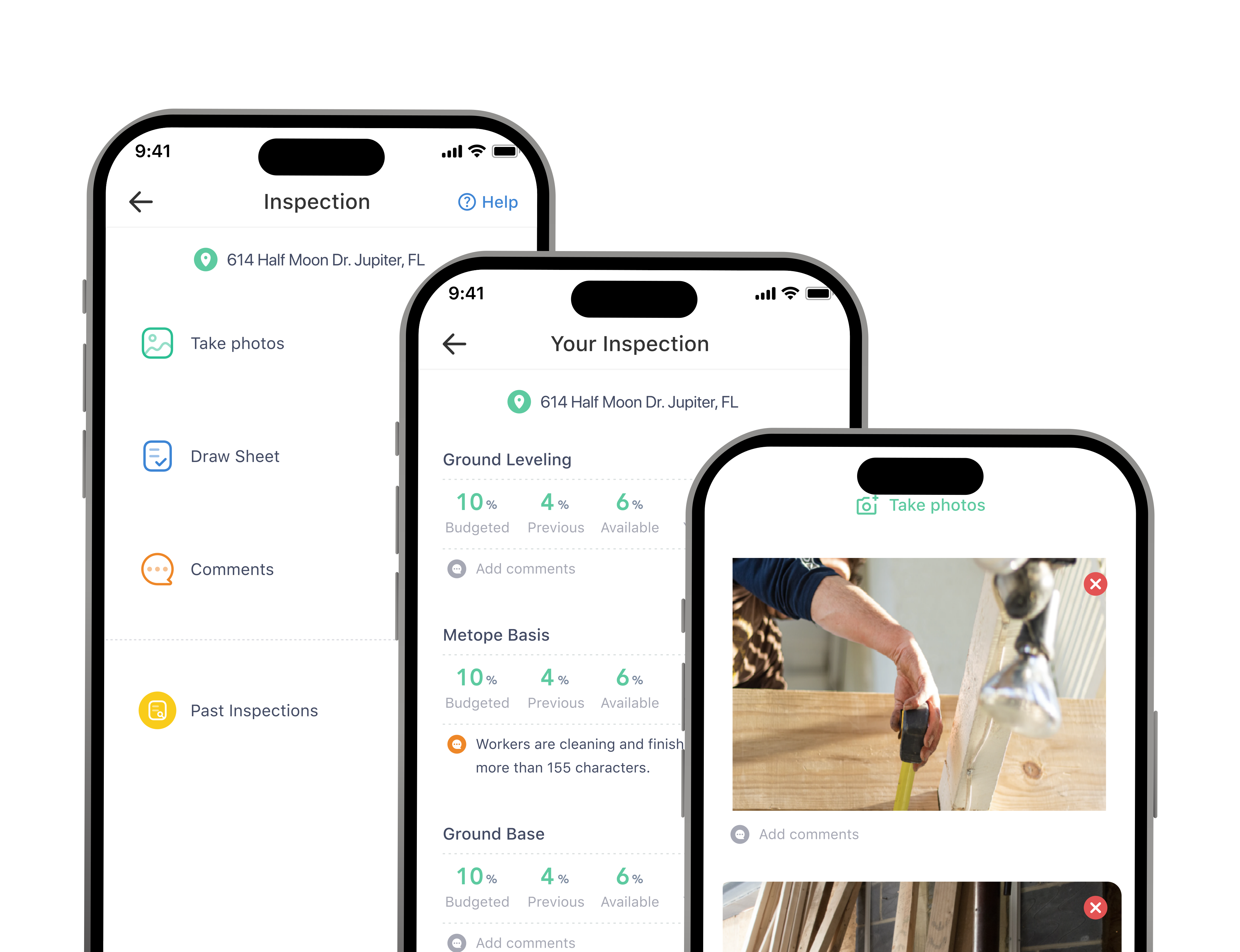
Open an assignment, review the lender's requirements, and move through each draw step by step: photos, line items, notes, and questionnaire.

Guided Inspection Workflow

Assignments and Notifications

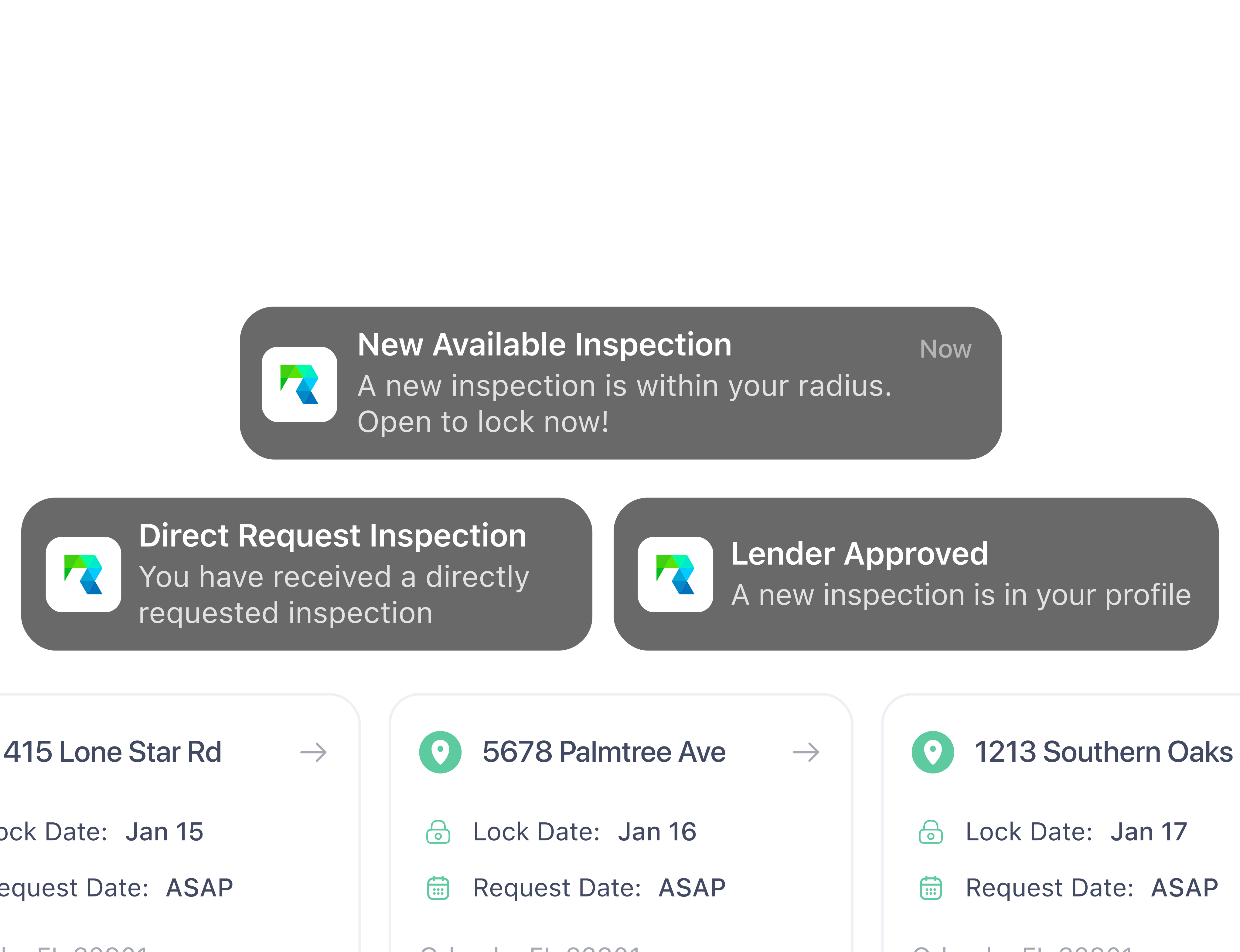
New assignments, direct requests, and lender approvals arrive as mobile notifications, so field teams can act right away.

Assignments and Notifications

PDF Reports Created in the App

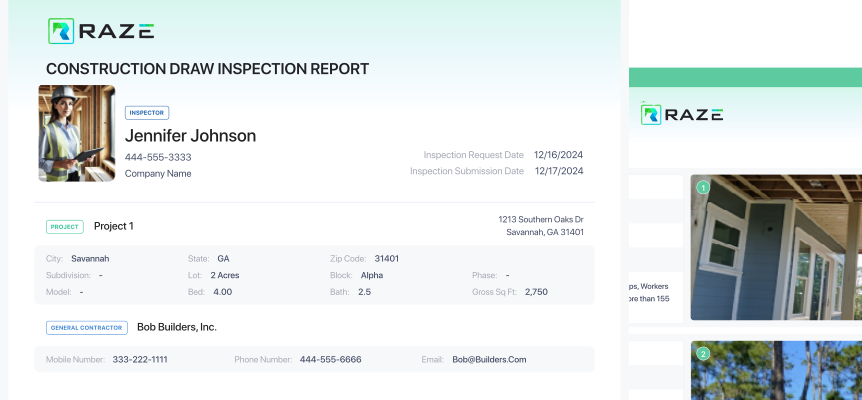
Generate the standardized construction draw inspection report as a PDF and submit it from the field, ready for lender review.

PDF Reports Created in the App

RAZE AI

AI trained on 51,000+ inspections.

RAZE AI learns from years of real inspections and verified field metadata captured through the RAZE platform. It speeds up documentation and draw review, and people stay in control of every result.

  • Suggestions, not decisions: inspectors and reviewers approve every result
  • Grounded in verified data captured at the source
  • Built into the RAZE workflow your team already uses

Photo Comment Assistance

Suggests clear, consistent comments for inspection photos, so inspectors document faster and reports read the same across every inspector. The inspector reviews and approves every comment.

Suggested photo comment

Second-floor framing complete and roof trusses set. Exterior sheathing in progress on the east elevation.

Draw Review Assistance

Checks draw requests against field evidence, including photos, line-item progress, and questionnaire answers, and flags items that need a closer look before the draw moves forward.

Flagged for review

Framing requested at 100%. Field photos support about 85%. Confirm before funding.

For inspection vendors

The mobile app of choice for inspection vendors.

Many of the industry's inspection vendors run their field teams on RAZE: one app to receive assignments, follow each lender's requirements, and submit reports from the field.

Real-time notifications
and messaging
Verified data
captured
at the source
Guided
inspections and
task prompts
Faster
in-the-field
execution

Why inspection vendors choose RAZE

Inspection Vendor

RAZE simplifies the entire draw inspection process. We can lock new jobs, complete inspections, and submit reports quickly using the mobile tools, saving us hours each week. It's efficient, reliable, and tailored for inspectors.

— Inspection Company Owner, Texas Market

Connected platform

Field data that flows through your whole workflow

Everything captured in the RAZE app moves into the rest of the RAZE platform and the systems your lending team already uses. Through the RAZE MCP, it's available to your AI tools too.

Ordering Engine

Lenders order and route inspections in the Ordering Engine. Assignments arrive in the app with requirements attached, and results flow back to the order.

Explore the Ordering Engine

Inspector Portal

Vendors and inspectors manage jobs, submissions, and payouts on the web, in sync with what their teams capture in the app.

Explore the Inspector Portal

Presidium by CodeFi

RAZE integrates with Presidium, CodeFi's construction loan administration platform, connecting inspections to the loans they support.

RAZE MCP

Connect your AI assistant to live inspection data

The RAZE MCP server connects MCP-compatible AI assistants and agents to RAZE through the Model Context Protocol, so your team can review any data captured in the app and stored on the platform, down to the metadata behind every photo, in plain language.

  • Order inspections and create projects
  • Check inspection status and history
  • Pull reports, photos, and questionnaire answers
  • Review capture metadata: GPS location, date and time stamps
  • See the device type and ID behind each capture
  • Read the photo tags the app generates

Were the photos for the draw inspection at 9340 Copper Creek Dr taken on site, and when?

Yes. Every photo carries GPS coordinates at the property and a date and time stamp from the inspection visit, along with the device type and ID. Want the photo tags too?

For construction lenders

Why lenders standardize draw inspections on RAZE

One workflow for internal inspectors, vendors, and Marketplace coverage, with records your risk and audit teams can rely on.

One Standard for Every Inspection

Internal inspectors, your vendors, and Marketplace coverage follow the same requirements, so results no longer vary by inspector or branch.

Faster, Cleaner Draw Reviews

Standardized reports are easier to validate, so reviewers spend less time chasing missing photos or context before a draw moves forward.

Audit-Ready Records

Photos, answers, and capture metadata (GPS location, date and time stamps, device details) stay linked to each inspection, supporting a complete, retrievable record for risk and internal audit.

Status Visibility

Track assignments, status changes, and required follow-ups as they happen, without chasing updates by phone or email.

Works With Your Existing Systems

RAZE adds a standardized inspection workflow around your existing construction loan administration, with no core, LOS, or servicing replacement.

Book a Demo

RAZE at a Glance

$1B+

Assets

in monitored assets

51,000+

Inspections

submitted through the RAZE app

Any

U.S. Address

with draw inspection coverage

3,000+

Applications

from inspectors and vendors

FAQ

Draw Inspection App FAQs

How the RAZE app works for inspectors, inspection vendors, and construction lenders.

Browse all draw inspection FAQs

What is the RAZE draw inspection app?

RAZE is a mobile app for iOS and Android that inspectors and inspection vendors use to complete construction draw inspections and property condition assessments. It guides photo and line-item capture, walks through the lender's questionnaire, generates a PDF report, and submits it from the job site.

Is the RAZE app available on iPhone and Android?

Yes. RAZE is available on the Apple App Store and Google Play. Inspectors sign in with their RAZE account to see and complete their assignments.

Can the RAZE app be used for more than draw inspections?

Yes. The same capture, questionnaire, PDF, and submit workflow runs property condition assessments, with their own required questions and photos. Rental property inspections are coming soon.

How does RAZE AI help inspectors and reviewers?

Photo Comment Assistance suggests clear, consistent comments for inspection photos. Draw Review Assistance checks draw requests against field evidence such as photos, line-item progress, and questionnaire answers, and flags items that need a closer look. RAZE AI is trained on 51,000+ inspections and years of verified field metadata.

Does RAZE AI approve draws?

No. RAZE AI drafts and flags; it does not make funding decisions. Inspectors approve what goes into their reports, and the lender or authorized reviewer remains responsible for every draw decision.

Does the app work without cell service?

Yes. In offline mode inspectors keep capturing on sites with weak or no coverage. Everything syncs in full once the device reconnects, and the app flags which data was captured offline and still needs to sync.

How does inspection data reach the lender?

Submitted inspections flow into the RAZE platform, where lenders track them in the Ordering Engine, and RAZE integrates with Presidium by CodeFi for construction loan administration. Vendors see the same jobs in the Inspector Portal.

What is the RAZE MCP?

The RAZE MCP is a Model Context Protocol server that connects MCP-compatible AI assistants and agents to RAZE. Authorized users can order inspections, check status, and review any data captured in the app and stored on the platform in plain language: reports, photos and questionnaire answers, plus capture metadata such as GPS coordinates, date and time stamps, device type and ID, and app-generated photo tags.

How do inspection vendors start using RAZE?

Apply through the RAZE vendor application, then download the app. Once your application is approved, you can receive assignments and submit inspections from the field.

Put the RAZE app in your inspectors' hands.

Lenders: see how RAZE standardizes draw inspections from order to report. Vendors: download the app and apply to join the network.

Download the RAZE app