Back to Blog
Draw InspectionsLenders

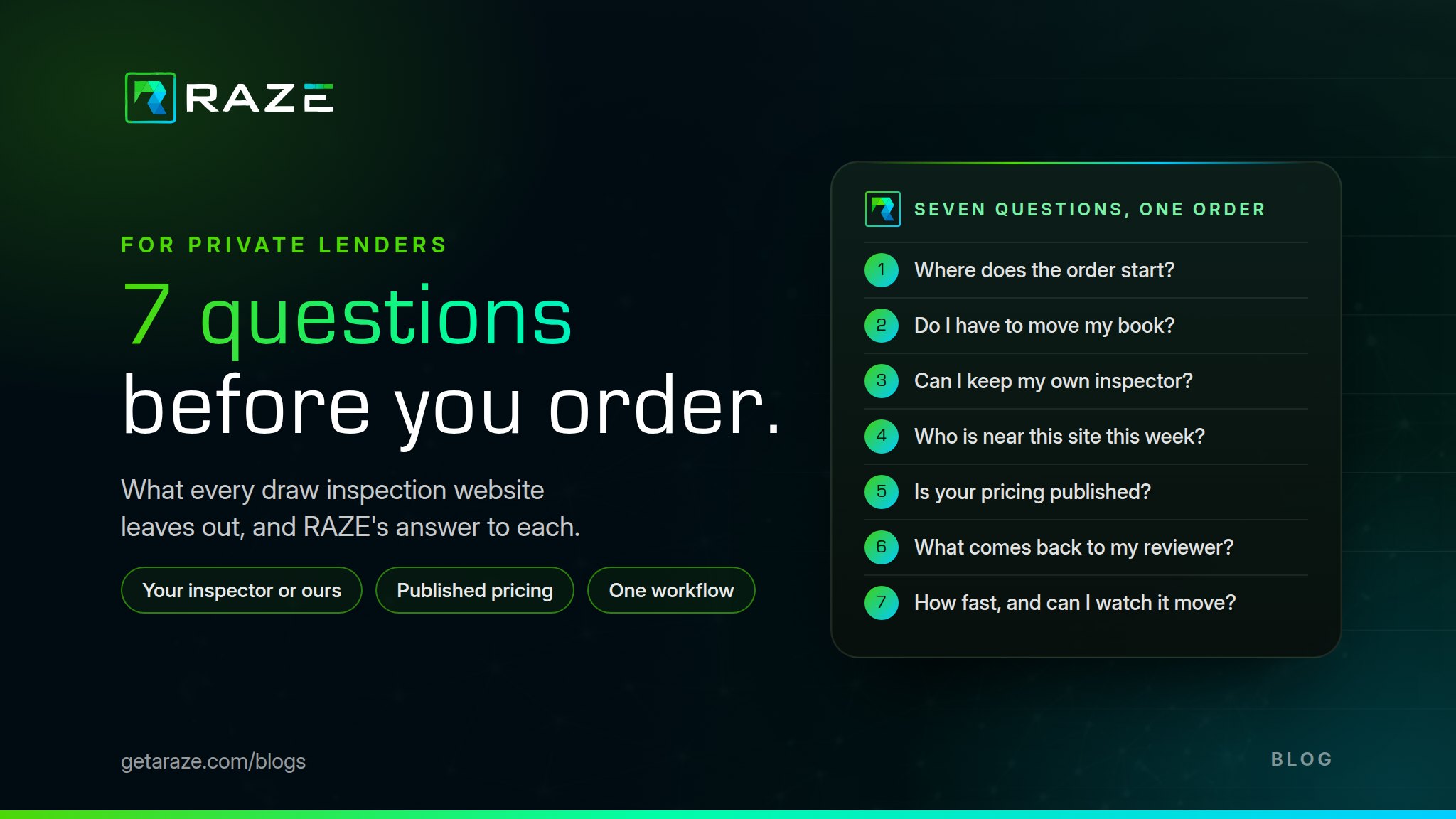
7 Questions to Ask Your Draw Inspection Company

ByRAZE Team
•September 24, 2026•7 min read
7 Questions to Ask Your Draw Inspection Company

Every draw inspection company's website says the same three things: nationwide coverage, fast turnaround, and a portal. None of them tells you what happens after you click order.

Private lenders find out first. Every draw on a fix-and-flip, bridge, or ground-up loan means an inspection before the funds go out, and the team ordering them is usually small. Below are seven questions to ask before your next order, each with a copy button so you can send it to whoever inspects for you today.

RAZE publishes this guide, so our own answer sits on every card. Hold us to it.

Where does the order start?

Why it matters

The draw request lands in your servicing system or your inbox. If the inspection has to be ordered in somebody else's portal, someone on your team re-keys it every draw and files the PDF by hand. The portal is not the workflow. It is where you go to find out you are waiting.

Ask this

“Can the order start where my draw request lands, or does it have to start in your portal?”

At RAZE

Wherever you work. Order in the RAZE Ordering Engine, from your own loan system through the RAZE API, or from the AI assistant your team already uses through the RAZE MCP. Same order, same workflow, same report back.

Three ways in. One workflow out.

  • Screen

    RAZE Ordering Engine

    Order on a RAZE screen, with nothing to integrate.

  • API

    Your own system

    Your servicing platform or draw tracker orders through the RAZE API.

  • MCP

    Your AI assistant

    Any MCP-compatible assistant orders through the RAZE MCP.

Each of these leads to:

One workflow

  1. Order
  2. Dispatch
  3. Capture
  4. Deliver

The same operation, whichever door you use.

Which returns:

The report

Report, photos, and status, back where the loan lives.

Do I have to move my book onto your platform?

Why it matters

Some inspection offers only come bundled inside a construction loan platform. That is fine if you are shopping for a platform. If you are shopping for inspections, it is a migration and a contract to fix one broken step.

Ask this

“If I keep my servicing system and my draw process exactly as they are, can I still order from you?”

At RAZE

Yes, exactly as they are. RAZE is the inspection layer: your loan stays where it lives, and RAZE runs order, dispatch, capture, and delivery around your CLA, LOS, and core without replacing any of them.

Presidium (by Codefi), a construction loan administration platform, runs its draw inspections on the RAZE Inspection Network the same way. Codefi also owns RAZE, so we have a stake in both.

Where your loan lives

Stays put
  • Servicing platform

    Your loan record and your draw schedule.

  • Draw tracker or spreadsheet

    The one that grew up in your shop.

  • CLA platform

    If you run one, it stays too.

Order
Report

RAZE, the inspection layer

  1. Order

    From your screen, your system, or your AI assistant.

  2. Dispatch

    Your inspector, or one from the RAZE Inspection Network.

  3. Capture

    Guided mobile capture, with photos by line item.

  4. Deliver

    Report, photos, and history, back to you.

No migration. No new place your loans live. The inspection is the only thing that changes.

Can I keep my own inspector?

Why it matters

Your inspector in Tampa knows your builders and what you mean by "dried in." A network that only uses its own inspectors trades that for whoever is available. A vendor that only takes yours leaves you stuck in the county where you know nobody.

Ask this

“Can I route this order to my own inspector, and what happens in the market where I have nobody?”

At RAZE

Both, through one workflow. Direct Request sends the order to your own inspector or vendor, and you pay them directly. Marketplace sends a background-checked inspector from the RAZE Inspection Network where you have no one, and RAZE reviews the report before it reaches you. Same capture standard, same report, same history.

Two paths. One workflow.

  • Your inspector

    Direct Request

    Your staff inspector or a vendor you trust. You pay them directly.

  • Where you have no one

    Marketplace

    A background-checked inspector from the RAZE Inspection Network.

Each of these leads to:

Same capture standard

  1. Your required photos
  2. Your questions
  3. RAZE Mobile App

Whoever goes to the site captures against your template, in the same app.

Which returns:

Same report

Same format and same history, whichever path ran.

Route each order to the path that fits the site.

Who is near this site this week?

Why it matters

A coverage map is a shaded outline of states. It says nothing about whether someone can reach a lot in Bullhead City on Thursday, or whether the cabin at 3,000 feet has a signal. Coverage is one address on one date.

Ask this

“Before I order, can you show me who is near this address?”

At RAZE

Yes, before you order. Through the RAZE API or MCP you can list the inspectors near the site and assign one directly. Where you have no one, Marketplace covers any U.S. address, including Alaska and Hawaii, at the same rate. The RAZE Mobile App keeps capturing with no signal and syncs everything once the device reconnects. And here are five of the more interesting places we've inspected, because real addresses say more than a map.

  • Any U.S. address
  • Offline capture
  • Nearby-inspector lookup

What does it cost, on a page I can read before I order?

Why it matters

Draw inspection pricing is usually a quote: by market, by travel, by rush, by "call us." A standard residential draw inspection typically runs $100 to $300 per site visit in the U.S., and rural or rush visits often cost more. A fee you can't see until the invoice is a fee you can't budget across a book, or pass on to the borrower cleanly.

Ask this

“Is your pricing published, and does it change by ZIP code?”

At RAZE

It's on the RAZE Rate Card. Through RAZE it is a flat $125 per single-family inspection at any U.S. address when RAZE sends the inspector, or $25 per request when your own inspector does the work and you pay them directly. No travel surcharge, no minimums, no platform fee.

RAZE Rate Card

Residential draw inspections

Marketplace

RAZE sends the inspector

$125

per inspection, single-family

Any U.S. address, including Alaska and Hawaii

+$35 per additional unit
Single-family
$125
Duplex
$160
Triplex
$195
Quadplex
$230

Direct Request

You send your inspector

$25per request, any residential property

  • No minimums
  • No platform fee
  • No travel surcharge

getaraze.com/pricing · (888) 404-RAZE

Subject to a RAZE master services agreement.

Updated September 2026

The same RAZE Rate Card as on getaraze.com/pricing. Some programs include a one-time implementation fee, quoted before you sign.

What comes back, and can my reviewer work with it?

Why it matters

"Detailed report with photos" can mean a PDF with forty unlabeled pictures. Your reviewer needs percent complete by line item, the photos behind each line, and a way to send it back. If you plan to put AI on draw review, this decides whether it works: AI draw review is only as good as the field capture feeding it.

Ask this

“Are photos tied to budget line items, and can I see who captured, changed, and accepted what, and when?”

At RAZE

Yes. Photos carry GPS location and date and time stamps, and link to the draw sheet line items they support. The report carries percent complete by line item and the inspector's questionnaire answers, in your template and your branding, and every inspection keeps a history of who changed what and when. Your reviewer accepts the inspection, or rejects it with a reason the inspector sees.

AI assists. Your reviewer approves. Nothing at RAZE approves a draw.

Sample report

Construction draw inspection report

Sample Project LLC · Draw 3Sample data

Draw sheet

Tap a line to see its photos

Photos linked to Framing

  • 3

    Wall framing, east elevation

    Time
    Jul 8, 9:41 AM ET
    GPS
    27.773, -82.640
    Device
    iPhone · 1.0x · portrait
  • 4

    Wall framing, interior

    Time
    Jul 8, 9:44 AM ET
    GPS
    27.773, -82.640
    Device
    iPhone · 1.0x · landscape
  • 5

    Second-floor framing

    Time
    Jul 8, 9:47 AM ET
    GPS
    27.773, -82.640
    Device
    iPhone · 1.0x · portrait

History

  1. Jul 7, 3:12 PMLenderOrdered Draw 3 as a Direct Request
  2. Jul 8, 9:38 AMInspectorStarted capture on site
  3. Jul 8, 10:05 AMInspectorSubmitted six photos and the questionnaire
  4. Jul 8, 1:20 PMReviewerRejected: "Add a photo of the south roof plane."
  5. Jul 8, 1:56 PMInspectorAdded photo 7 and resubmitted
  6. Jul 8, 2:30 PMReviewerAccepted the inspection
Sample data for illustration. Your reports carry your template and branding.Request a sample report

How fast, and can I watch it move?

Why it matters

Every website says fast. A turnaround number means little until you know where the clock starts and stops, and on which loans. What saves the most time is not a promise. It is knowing where the inspection is right now, without calling anyone.

Ask this

“What is your average time from request to submitted report on draws like mine, and can I see the status without calling you?”

At RAZE

On residential draw inspections, RAZE averages 1.1 days from request to submission, nationwide. That is an average, not a guarantee. You can see the status the whole way, in the Ordering Engine, your own system, or your AI assistant: Inspection Ordered, Lender Open, In Progress, Submitted, then Lender Approved or Lender Rejected.

Watch it move

Rejected inspections go back to In Progress with your reason

Your turn

Score whoever inspects for you today

Mark how your current draw inspection company answers each question. Anything that isn't a clear yes goes on the list to send them, and the copy button takes only those.

  1. Where does the order start?
    Your vendor: Where does the order start?

    RAZE:Your screen, your system (API), or your AI assistant (MCP)

  2. Do I have to move my book onto your platform?
    Your vendor: Do I have to move my book onto your platform?

    RAZE:No migration. RAZE layers around the systems you run.

  3. Can I keep my own inspector?
    Your vendor: Can I keep my own inspector?

    RAZE:Direct Request and Marketplace in one workflow

  4. Who is near this site this week?
    Your vendor: Who is near this site this week?

    RAZE:Nearby-inspector lookup, and any U.S. address

  5. What does it cost, on a page I can read before I order?
    Your vendor: What does it cost, on a page I can read before I order?

    RAZE:$125 or $25, the same at any U.S. address

  6. What comes back, and can my reviewer work with it?
    Your vendor: What comes back, and can my reviewer work with it?

    RAZE:Photos by line item, and a full who-did-what history

  7. How fast, and can I watch it move?
    Your vendor: How fast, and can I watch it move?

    RAZE:1.1-day average on residential draws, and live status

0 of 7 marked

Mark each question to see what to send your vendor.

Or put one live project through RAZE and read the report next to your vendor's. There are no minimums, so one order is a real test.

Request a demo

What RAZE does not do

  • Approve draws
  • Make credit decisions
  • Guarantee compliance, or a turnaround
  • Move your loans off the system you run

Who this is for

Lenders with inspectors they trust

Direct Request keeps them. Your inspector gets the assignment in the RAZE Inspector Portal and the Mobile App, and the report lands in the same format as every other inspection in your book.

Lenders growing into new markets

Marketplace covers the county where you know nobody, at any U.S. address and the same rate, so a new market does not mean a new process.

Lenders with a system of their own

Order from the platform you built, through the RAZE API or MCP. The Developer Portal has the guides and the API reference, and our team helps you integrate.

Frequently asked questions

Ask seven questions before the next order: where the order starts, whether you have to move loans onto a platform, whether you can keep your own inspector, who is near the site, what it costs on a published page, what the report proves, and how long it takes from request to submission. RAZE answers all seven on this page: $125 per single-family inspection at any U.S. address when RAZE sends the inspector, $25 per request with your own inspector, and an average of 1.1 days from request to submission on residential draw inspections.

No. On residential draw inspections RAZE averages 1.1 days from request to submission nationwide, and that is an average, not a promise for any single order. What RAZE gives you is status from order to delivery in the Ordering Engine, your own system, or your AI assistant, and a history of who changed what and when.

Put one live project through both and read the reports side by side. RAZE has no minimums, so one order is a real test: with Direct Request your current inspector runs it through RAZE for $25 per request, or Marketplace sends a RAZE inspector for $125 per single-family inspection. Your servicing system doesn't change either way.

Yes. Private lenders, including hard money, fix-and-flip, and bridge lenders, order residential draw inspections through RAZE with no minimums and no platform fee: $125 per single-family inspection when RAZE sends the inspector, or $25 per request with your own inspector, at any U.S. address.

Keep reading

Ready to ask?

For lenders

See all seven answered on a project in your book, from order to delivered report.

Request a demo →

Check the price first

Every RAZE rate is on one published card, with no travel surcharge at any U.S. address.

See the rate card →

Seven questions. One order answers them all.