Your credentials, your permissions
Every call runs as the account that signed in, can only do what its permissions allow, and is logged to it. Production integrations run under a service account issued to your institution.
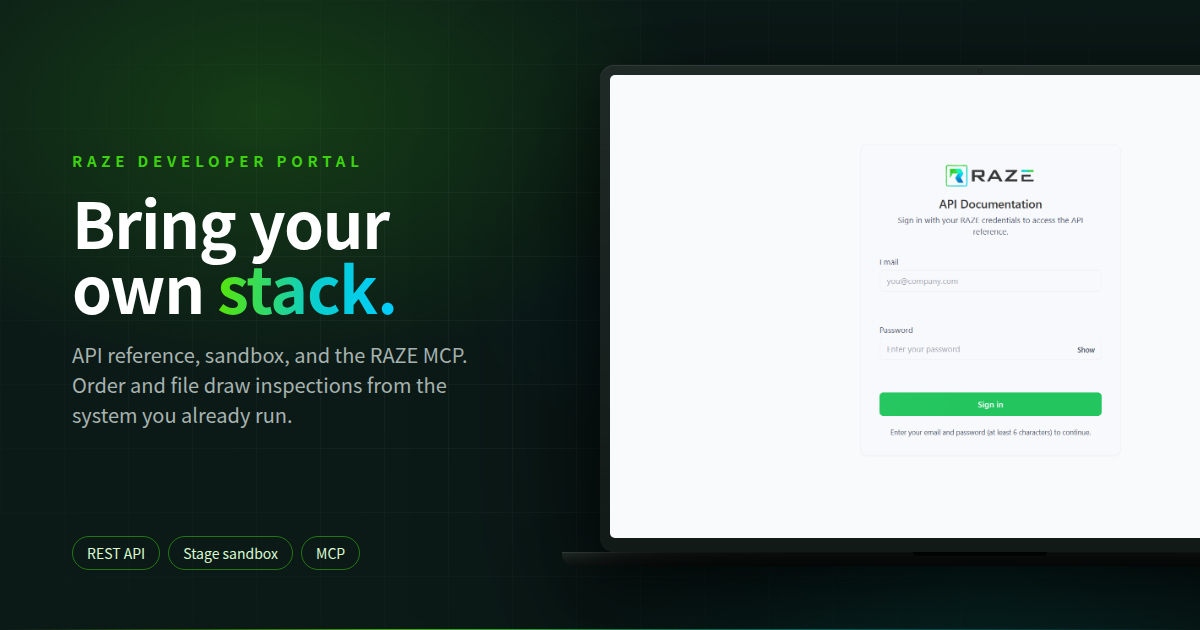
Some lenders run their book on a system they built: a servicing platform, a borrower portal, a draw tracker that grew up from a spreadsheet. It works, and nobody is replacing it. The draw inspection is the one thing that still leaves it by email and comes back as a PDF somebody has to file.
Now it does not have to leave. With the RAZE Developer Portal, your system orders the inspection. RAZE dispatches, captures, and delivers, and the report lands back where your loan lives. Developer Portal access is included in your inspection costs.
Rather connect Claude, ChatGPT, or Cursor than write code? Read Bring Your Own AI. This post is for the lender with a proprietary stack and a developer who can spend an afternoon.
Order from the system you already run
Your servicing platform or draw tracker sends the project details with the order. There is no project to create in RAZE first.
Track and file by inspection ID
Poll for status and history, then pull the report, photos, and questionnaire answers into the loan file.
REST API or the RAZE MCP
Call the API from your code, or point a coding assistant at the RAZE MCP and let it read the reference while it builds.
Portal access is included
Developer Portal access comes with your inspection costs. It is not part of an implementation fee.
Two paths. The portal first asks how you connect. Ordering Engine is for teams that create projects and order inspections inside RAZE. External System, the path this post covers, is for teams that manage projects in their own system and only need to send and receive inspection data.
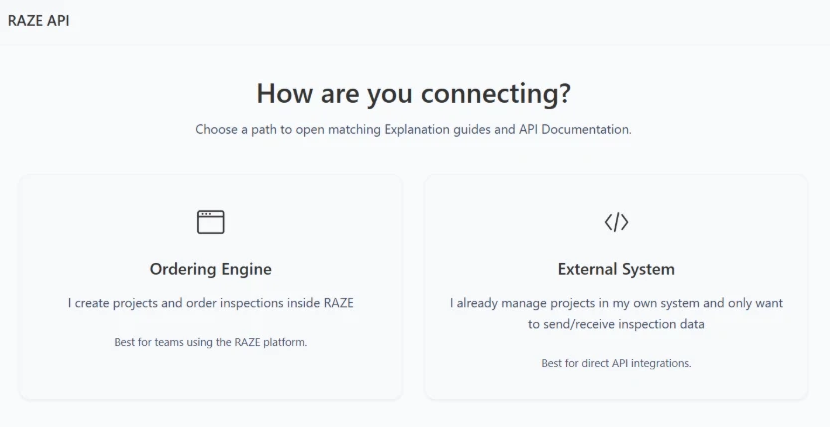
Pick a path and the portal opens its guides and reference. External System is the direct API integration.
The reference and the guide. The API reference is a downloadable OpenAPI 3.0.3 document with bearer token auth, a Try-it button for calling endpoints from the page, and every call shown in Shell, Ruby, Node.js, PHP, and Python. For External System it is short on purpose: Auth, Create Inspection, Check Status, Approve / Reject, and the models behind them. A four-step guide walks the same loop: get a token, create the inspection, poll for status and results, then approve or reject.
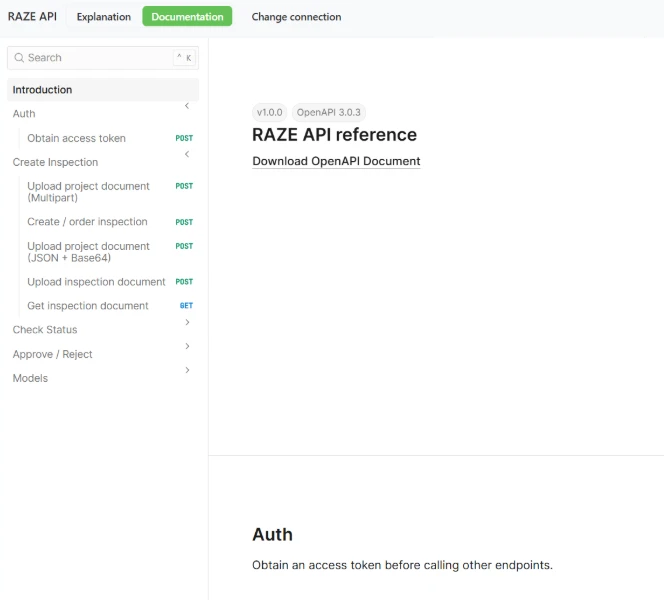
The reference: download the OpenAPI document and read each call, grouped the way the guide runs them.
No SDK to install. If your system can make an authenticated HTTPS request, it can work with RAZE. The first call trades your service account credentials for a token, and every other call carries it.
# 1. Get a token
POST /token

# 2. Send it on every other call
Authorization: Bearer $ACCESS_TOKENWhen a draw request hits your servicing system, your system sends RAZE the project details and the order, Marketplace or Direct Request. RAZE returns the project and inspection IDs to store against the loan, plus the fee and the date the inspection opens to inspectors.
Check Status is a poll: your system asks on a schedule and gets the status plus a history of who changed what, and when. Mirror it into the pipeline view your draw team already uses.
Download Results returns the report, the photos with their line-item links, and the questionnaire answers by inspection ID. File them against the loan, under your retention policy, where your auditors already look.
Your reviewer reads the inspection in your interface. Your system approves it, or rejects it with a reason when the cabinet photos do not show the island. Approving an inspection is not approving a draw: that decision stays with your reviewer.
Ask RAZE which inspectors are near the site and which vendor institutions you can order from, then send a Direct Request to the one you trust. Marketplace covers the sites where you have nobody.
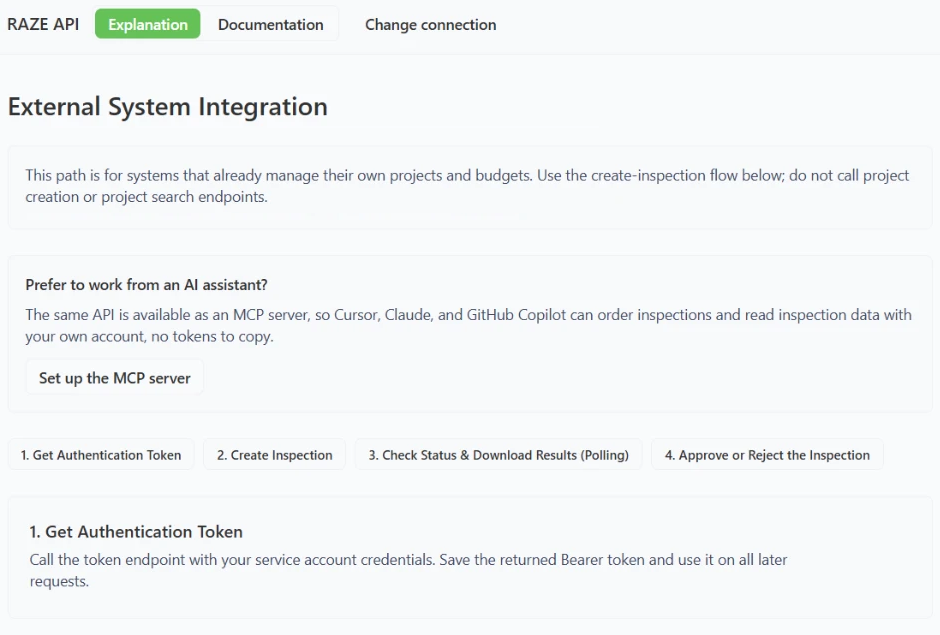
The External System guide: token, create, poll and download, approve or reject, with the MCP option right above the steps.
Every call runs as the account that signed in, can only do what its permissions allow, and is logged to it. Production integrations run under a service account issued to your institution.
An External System order goes through the same operation the RAZE Ordering Engine uses. Marketplace, Direct Request, the report standard, and the inspection history behave the same wherever the order came from.
Your system assembles. Your reviewer decides. RAZE works inside the workflow you already run, and your systems stay where they are.
Point Cursor, Claude, or GitHub Copilot at the RAZE MCP and it does the same work: order inspections on external projects, read status, history, reports, and photos, and set inspection status. It also reads the API reference through the MCP, so a coding assistant can pull an endpoint's contract while it writes your integration. Writes wait for a person to confirm.
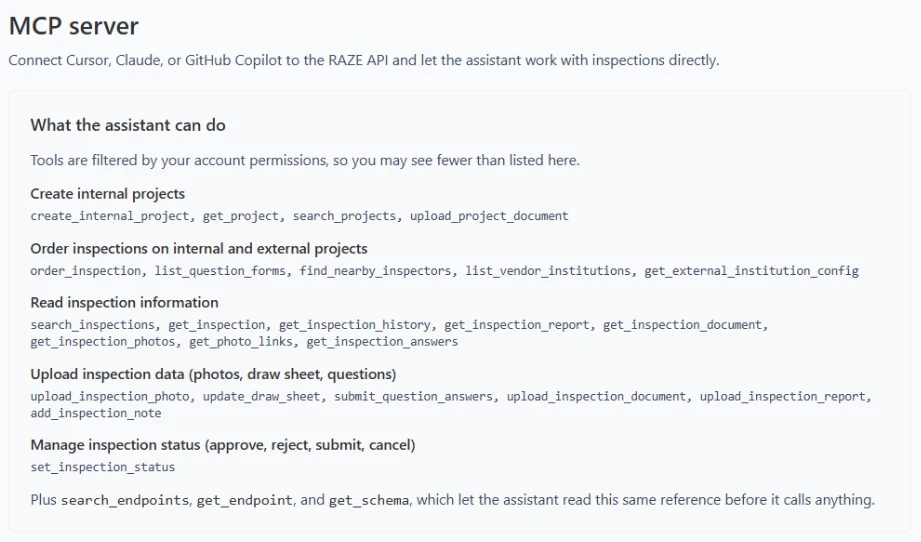
The MCP page. Tools follow your account permissions, and three of them let the assistant read the API reference.
Monthly reinspections across an active book add up to a lot of orders. The API makes them a job your system runs, not a mailbox someone works. One flat rate at any U.S. address: $125 when RAZE sends the inspector, $25 per request with your own.
Presidium Solutions (RAZE affiliate), a construction loan administration platform, already runs its draw inspections on the RAZE Draw Inspection Network. The External System path lets you offer draw inspections to your lenders without building an inspector network. Codefi owns RAZE and is the company behind Presidium.
Your IT team can read the reference and test the full loop in the sandbox before anyone schedules a procurement meeting. Credentials scoped to your institution, logged actions, and no change to the core.
Read the guides, the API reference, and the RAZE MCP setup, then build your first loop.
Explore the Developer PortalUp next: RAZE Can Do That: Bring Your Own AI to Draw Inspections
Read Next