Claude.
Add RAZE as a custom connector in Settings and sign in with your RAZE login. Same in Claude Code.
Every construction lender already has an AI. Someone on your team picked Claude, ChatGPT, or Cursor months ago. It writes the emails. It could not touch your draw inspections.
Now it can. RAZE ships a Model Context Protocol (MCP) server, so the tool you already use can set up projects, order inspections, review a draw, and prep the committee report inside RAZE. The AI drafts. Your team confirms. Nothing in it approves a draw.
Order, review, and report on construction draw inspections from Claude, ChatGPT, or Cursor. RAZE now connects to the AI your team already uses.
If a tool can connect to a custom MCP server, it can connect to RAZE. That includes:
Connecting takes minutes, not a project.
Add RAZE as a custom connector in Settings and sign in with your RAZE login. Same in Claude Code.
Turn on developer mode, add RAZE as a custom connector, and sign in. Paid plans only, and a workspace admin may need to allow custom connectors.
Add the RAZE MCP server to your MCP settings and authenticate.
If it speaks MCP, point it at RAZE. If it only speaks REST, the RAZE API covers the same operations.
Try this first
“What can you do in RAZE?”
It will list the tools it found.
“Set up a new project for 412 Bayshore. Budget's attached as a PDF. File the plans, the contract, and the insurance certs. Order the first inspection for next Friday.”
Your console reads the budget. RAZE builds the project with its schedule of values, files the documents, and drafts the order. You confirm. RAZE can do that.
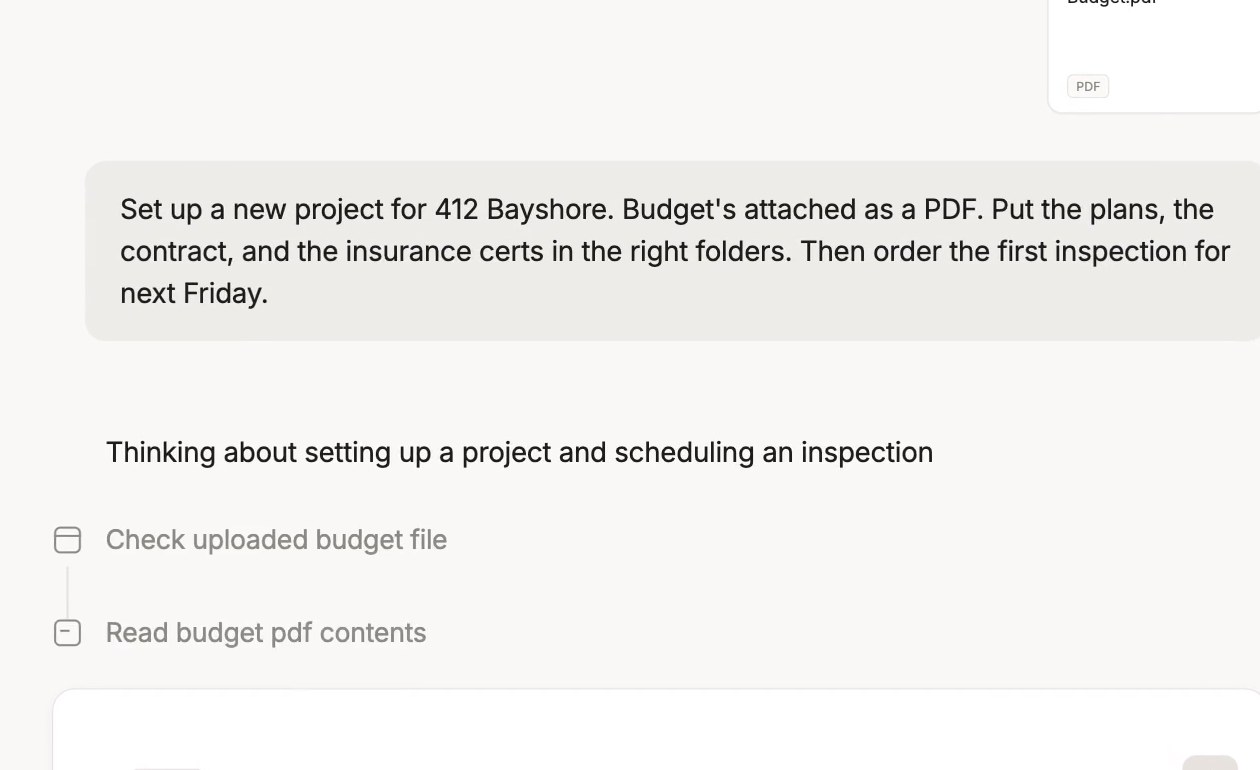
One instruction in Claude. RAZE receives the project, the documents, and the first inspection order.
“Order an inspection on every project that hasn't had a draw in the last 45 days.”
RAZE returns the list. One confirmation. Every order dispatches. RAZE can do that. Really fast, actually.
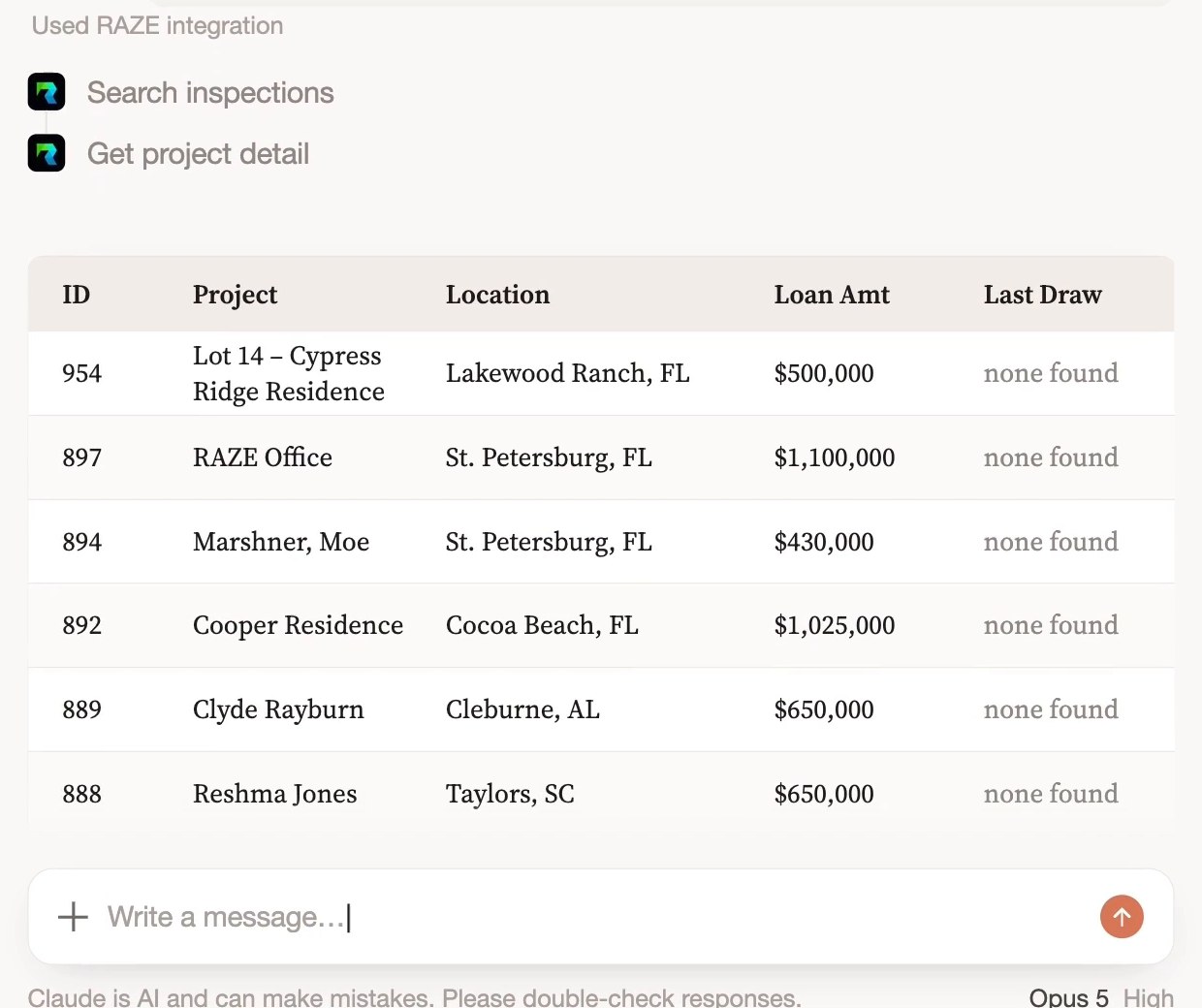
The stale-inventory list, one confirmation away from dispatch.
“Prep the Q3 credit committee report. Export the progress photos and give me a PowerPoint.”
RAZE returns the data and the photos. Your console builds the deck. RAZE can do that too.
“Review the inspection that just came in on 412 Bayshore against the last three draws. Flag anything that doesn't line up.”
RAZE pulls the history, the schedule of values, and the photo-to-line-item links. The AI lines the numbers up and flags what moved. Your reviewer decides. AI review is only as good as the field capture feeding it, which is why RAZE standardizes capture first.
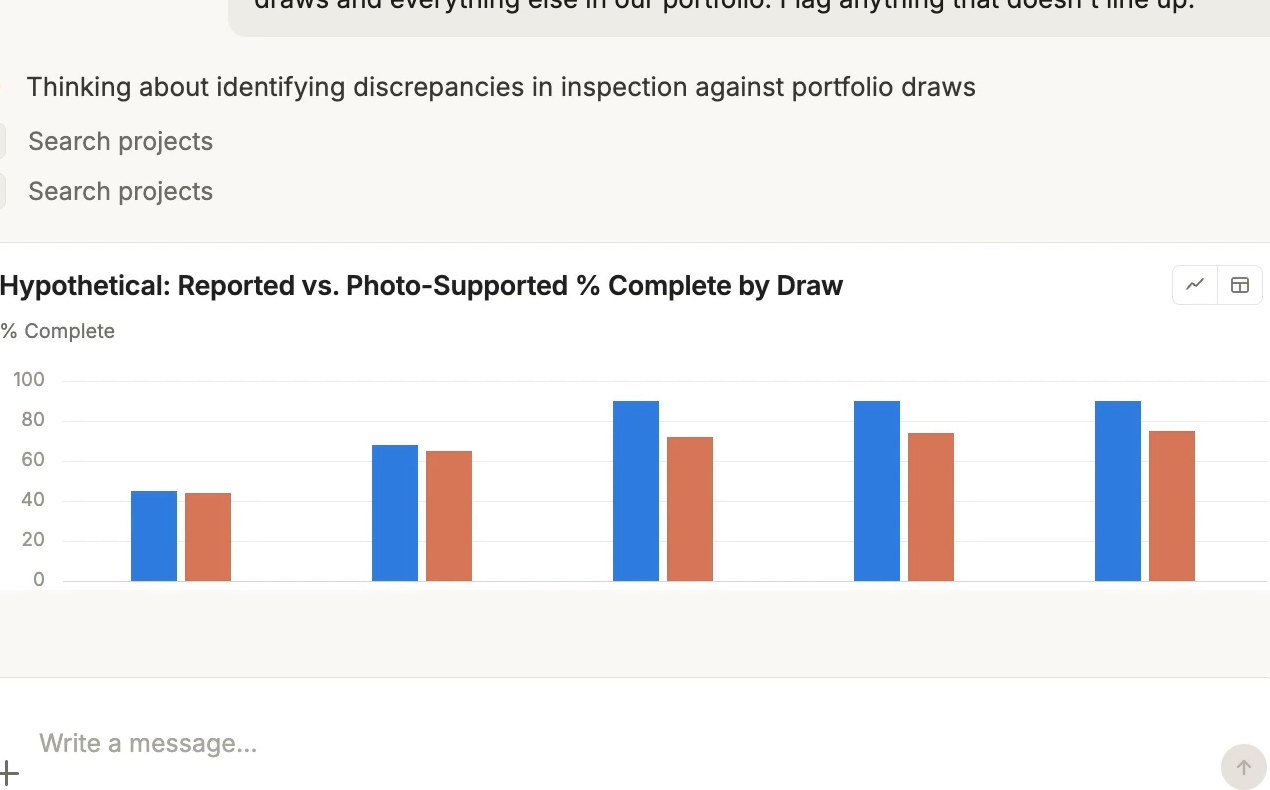
Reported versus photo-supported percent complete, draw by draw. Illustrative data. The reviewer still decides.
“Plug the RAZE residential draw inspection marketplace into the workflow we already run.”
That is what RAZE is built for. Marketplace and Direct Request, one workflow, inside your existing CLA process.
Inspections completed
Photos captured
U.S. address with draw inspection coverage
Three rules apply to every action your AI takes in RAZE.
The AI can only do what your RAZE permissions allow, and every action is logged to your user.
Ordering, accepting, rejecting, submitting, and cancelling show you a summary first. Nothing happens until you confirm.
Searching, comparing, and reporting need no confirmation because they change nothing.
AI suggests. The human decides.
It returns the hours that were never judgment: setup, filing, batch ordering, first-pass review, report prep.
Copy them, change the addresses, and start with the read-only ones. They work the same in Claude, ChatGPT, or Cursor.
“Order Draw 3 on Maple Street as a Direct Request to the inspector who did Draws 1 and 2.”
“Find inspectors within 30 miles of the Ocala lot and tell me who has worked for us before.”
“Which inspections are open this week, and which ones don't have an inspector yet?”
“Show me every photo tied to the framing line item on Draw 4, and list the line items with no photos at all.”
“Compare percent complete on each line item with last draw. List anything that moved more than 25 points.”
“Send this inspection back. The cabinet photos don't show the island. Ask for two more.”
“List every active project with a final inspection still outstanding and its last reported percent complete.”
“Which of our projects in ZIP 33701 had an inspection in the last 30 days?”
“Summarize inspection activity on every project where our top builder is the GC.”
“Pull the inspection history and final report for every draw on the Johnson project into one folder.”
“Pull the audit trail on the last five inspections we accepted. Who accepted each one, and when?”
“List every active project with no insurance certificate on file.”
Monthly draws, lean teams, no procurement committee. Connect the MCP, start with read-only prompts, add ordering when you are ready. Marketplace covers markets where you have no inspector. Direct Request keeps the ones you trust. One flat rate at any U.S. address: $125 when RAZE sends the inspector, $25 per request with your own.
Nationwide draw inspection coverage →Every action is logged to a user. Every inspection carries its own history of who changed what, and when. Your CLA workflow, loan system, and core stay exactly where they are.
Inspections get ordered when the draw request lands, not when someone gets to the email. Your gate codes and contacts reach the inspector. If you have started funding other investors' projects, the same prompts run a 6-loan book as well as a 300-loan book.
Take the photo, and the RAZE Mobile App suggests the line item. Start the comment, and it drafts it. The inspector accepts or rejects. Confirm, not type.

RAZE Recommends on the draw sheet. Every suggestion is accepted or rejected by the inspector.
No SDK. Point an MCP-compatible agent at RAZE, authenticate, and the tools are discoverable: projects, inspections, draw sheets, photos, documents, reports, history. The API reference is readable through the MCP itself, and the same operations are available over the RAZE REST API. Writes are confirm-gated at the tool level. Building against it? Talk to us.